2
To update your unit, follow the below steps:
1. Press the SETUP button on the Remote Control
2. Select General > Firmware > Update
3. Select Update Now
*Note on Auro-3D upgraded units:
If you have an Auro-3D upgraded unit, DTS:X firmware update won’t effect this. However we will add more
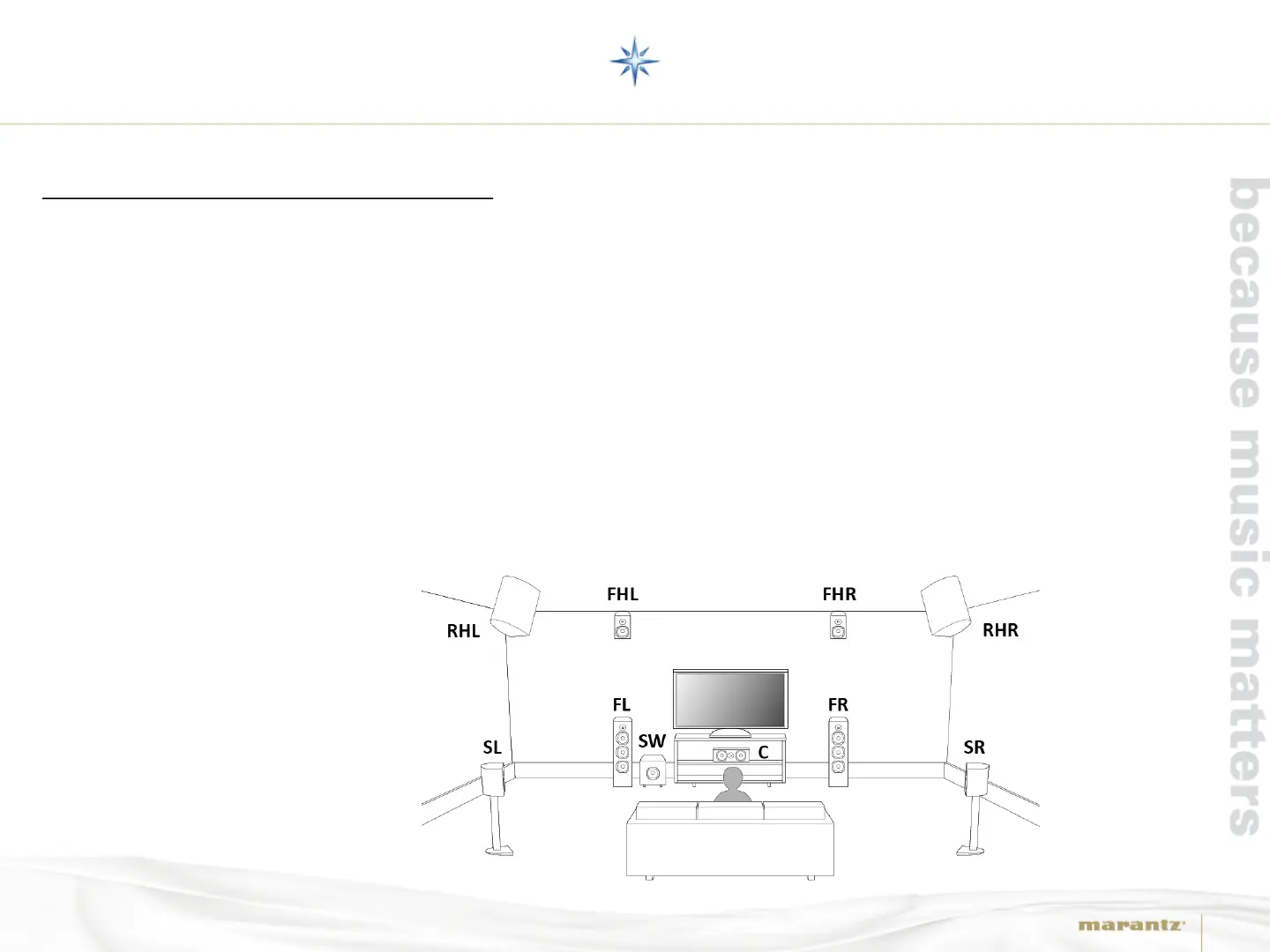
flexibility to the speaker setup and after the update you will be able to use the following speaker
configuration to enjoy all 3D sound formats (Dolby Atmos, DTS:X and Auro-3D) by one speaker layout with
4 height speakers:
Front (FL/FR)
Center (C)
Surround (SL/SR)
Front Height (FHL/FHR)
Rear Height (RHL/RHR)
Subwoofer (SW)
AV8802(A) DTS:X UPDATE



 To Next Page