L
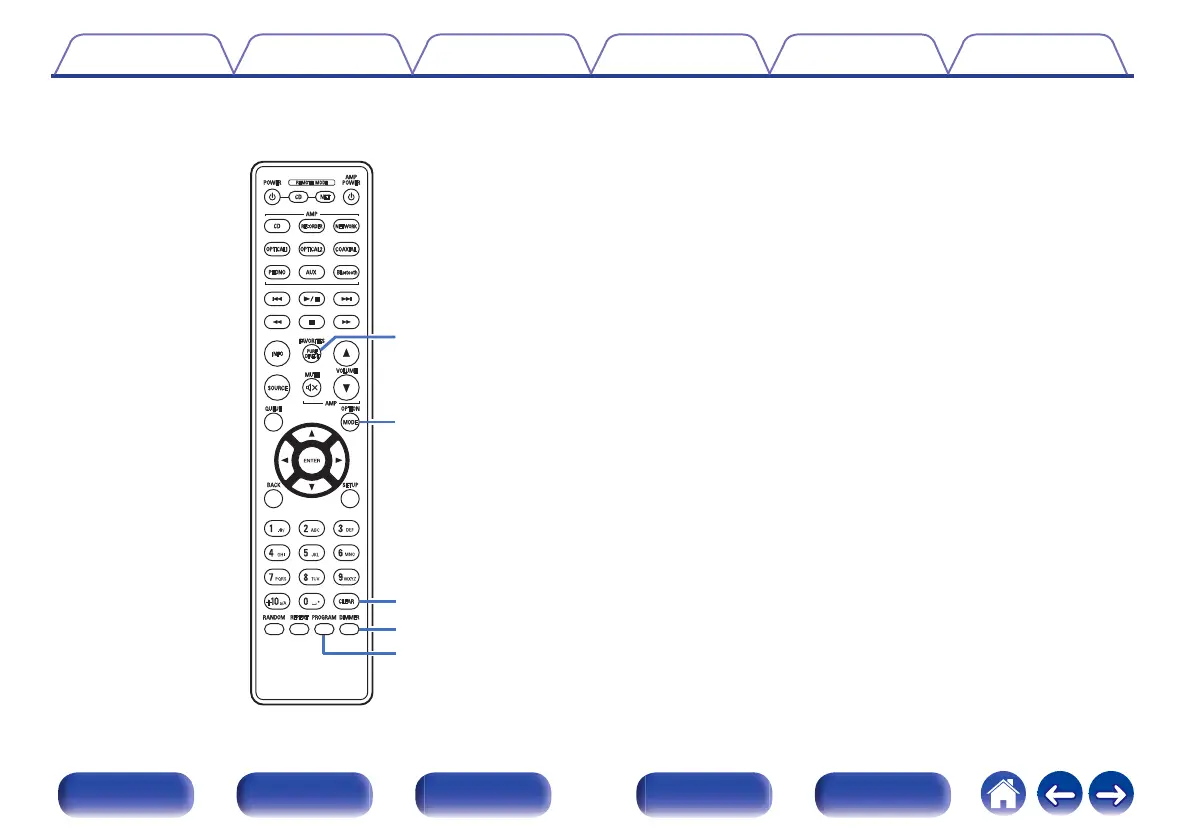
PURE DIRECT button
Switches the Pure Direct mode. (v p. 24)
M
MODE button
Selects the playback range of the data CD. (v p. 30)
N
CLEAR button
This clears the program registration. (v p. 27)
O
DIMMER button
This switches the brightness of the display. (v p. 24)
P
PROGRAM button
This sets program playback. (v p. 27)
Contents Connections Playback Settings Tips Appendix
13
Front panel Display Rear panel Remote Index



 To Next Page