o
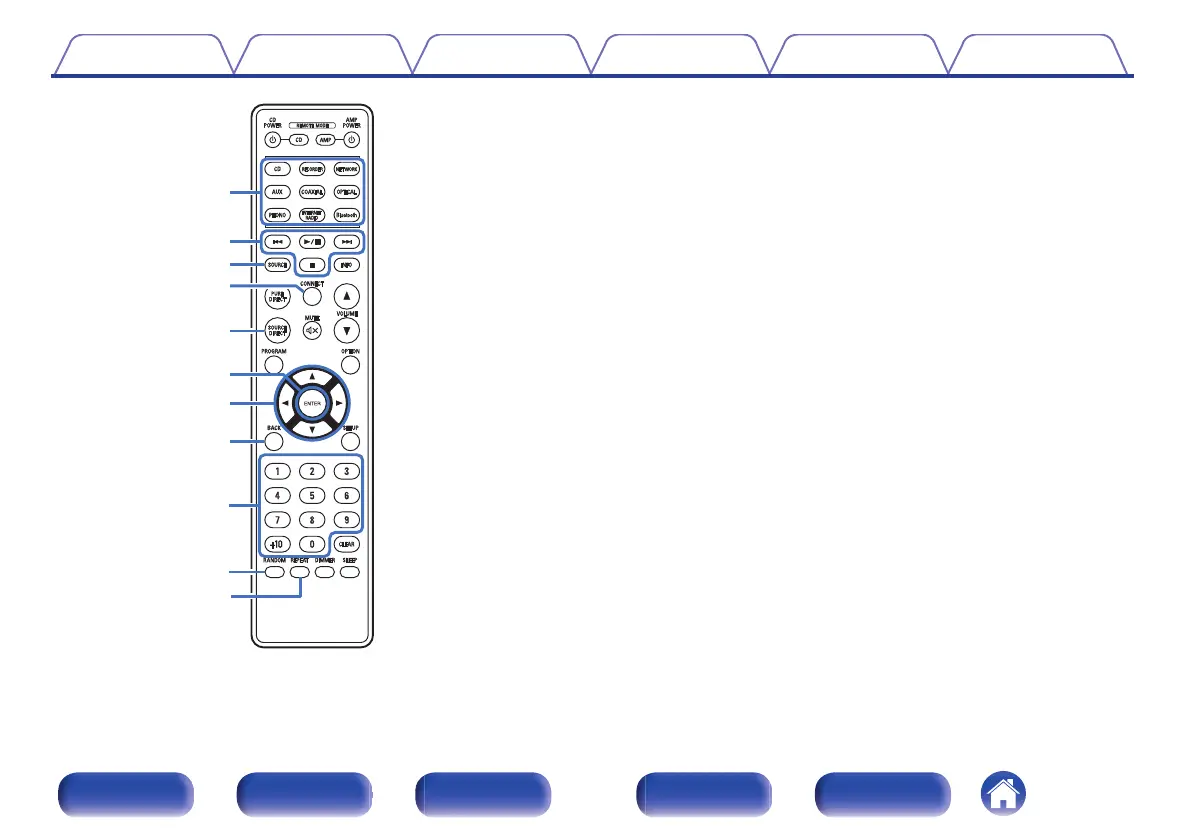
Integrated network amplifier operations
You can operate a Denon integrated network amplifier.
To operate a Denon integrated network amplifier, press the REMOTE
MODE AMP button to switch the remote control to the integrated
network amplifier operation mode.
A
Input source select buttons
B
System buttons
C
SOURCE button
D
CONNECT button
E
SOURCE DIRECT button
F
ENTER button
G
Cursor buttons (uio p)
H
BACK button
I
Number buttons (0 – 9, +10)
J
RANDOM button
K
REPEAT button
Contents Connections Playback Settings Tips Appendix
13
Front panel Display Rear panel Remote Index


 To Next Page