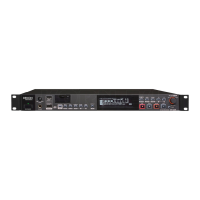
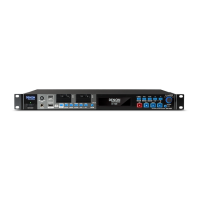
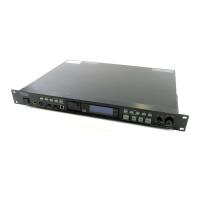
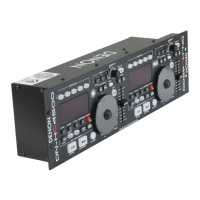
(Remote control unit)
During playback, press the repeat A–B button at the position at which you want to start repeating (point A).
• The “REPEAT A-” indicator lights.
1
2
Press the repeat A-B button again at the position at which you want to stop repeating (point B).
• The “REPEAT A-B” indicator lights, the pickup returns to point A, and the section is played repeatedly.
NOTES:
• A-B repeat playback is not possible during programmed playback or random playback.
• The automatic and manual search functions cannot be used during A-B repeat playback or when setting point B.
• When A-B repeat playback is canceled when point B is set on a different track from point A, playback resumes from the
beginning of the track that is playing when the A-B repeat mode is canceled.
• A-B repeat playback is not possible with non-finalized discs.
• To stop A-B repeat playback, press the repeat A-B button on the remote control unit until the “REPEAT” indicator turns off.
The A-B repeat mode is canceled and normal playback starts from the beginning of the current track.
• If the stop button (
2 STOP) is pressed, the A-B repeat mode is canceled and the stop mode is set.
2nd track 3rd track 4th track
This operation is
repeated.
(1) Press the repeat A-B button
during playback.
(Point A)
(2) Press the repeat A-B button
again.
(Point B)
Press the repeat 1/ALL button twice.
• The “REPEAT” indicators light on the display and the all track repeat mode is set.
(2) Playing all tracks repeatedly [All Track Repeat]
(Main unit)
(Remote control unit)
1
2
Press the play button (1 PLAY).
• The disc is played repeatedly.
• The all track repeat mode can also be set by pressing the repeat 1/ALL button twice during playback.
• If the repeat 1/ALL button is pressed during programmed playback, the tracks are played repeatedly in the
programmed order.
• To cancel the all track repeat mode, press the repeat 1/ALL button repeatedly until the “REPEAT” indicator turns off.
NOTES:
• The single track repeat mode cannot be set during programmed playback or random playback.
• Repeat playback is not possible with non-finalized discs.
Select the deck to be operated.
Select the deck to be operated.


 To Next Page