EasyManua.ls Logo

Denon DN-F650R - User Manual

Denon DN-F650R
54 pages
Print Icon
To Next Page IconTo Next Page
Loading...
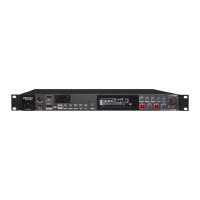
SOLID STATE/USB RECORDER
DN-F650R
Owner’s Manual

Table of Contents

Other manuals for Denon DN-F650R

Questions and Answers

  • R
    rachelosbornAug 19, 2025
    What to do if the USB keyboard does not operate on my Denon Voice Recorder?
    • E
      erika37Aug 19, 2025
      If the USB keyboard is not operating, verify the operation of USB_HID and check the VBUS voltage at [TPF136], which should be +5V.
  • E
    Erika EatonAug 22, 2025
    Why does my USB drive not operate on the Denon Voice Recorder?
    • B
      Betty RiveraAug 22, 2025
      If the USB drive is not operating, check the VBUS power supply. The voltage at [TPF135] should be +5V.
  • S
    Sandra SheltonAug 25, 2025
    How to fix a Denon Voice Recorder when the reset is not cancelled?
    • B
      Brittany ColonAug 25, 2025
      To address a situation where the reset is not cancelled, check the power supply and reset timing. Ensure that +3.3V_CPU and u-com reset are 200ms or more, and that u-com reset [TPF506] is greater than the System reset [PRST#].
  • J
    jreeseAug 26, 2025
    What to do if Denon DN-F650R doesn't recognize a file?
    • F
      feliciasimmonsAug 26, 2025
      If your Denon Recording Equipment doesn't recognize a file, there are several potential causes: * The recording media could be the issue. Try copying the file to another recording medium and attempt playback again. * Verify that the unit supports the format of the playback file. * Ensure the target folder is stored directly under the root folder of the recording media, as the unit only recognizes folders in this location. * Confirm that the number of folders does not exceed 32, as the unit can only recognize up to 32 folders.
  • L
    Luis BrightAug 28, 2025
    What to do if Denon DN-F650R has loud noise in the recorded file?
    • S
      Sheila SmithAug 28, 2025
      If there is a loud noise in the recorded file when using Denon Recording Equipment: * Check the level meter and Level Over Display (LEVEL) to ensure that the recording level does not exceed 0dB. * Also, verify that the electrical contacts of the cable connections are secure.
  • N
    Nancy FullerAug 30, 2025
    What to do if Denon DN-F650R Recording Equipment recording media icon is not displayed when a recording media is connected?
    • D
      Dustin MurrayAug 30, 2025
      If the recording media icon is not displayed when a recording media is connected to your Denon Recording Equipment: * Check the connection of the recording media, as a defective connection may prevent the unit from recognizing it. * Note that the unit supports USB mass-storage class flash memory and USB external storage, and it does not recognize other types of USB drives. * Also, USB devices should not be connected via a USB hub.
  • R
    Robert BowersSep 1, 2025
    What to do if Denon Recording Equipment cannot perform recording?
    • L
      Lynn HarrisSep 1, 2025
      If your Denon Recording Equipment cannot perform recording, the recording media could be the cause. Replace the recording media with another one and retry.
  • M
    Marie DavisSep 3, 2025
    Why Denon Recording Equipment does not turn on?
    • D
      Donna GregorySep 3, 2025
      If your Denon Recording Equipment does not turn on, check whether the power cord is firmly connected to the AC outlet.
  • A
    Angela MaldonadoSep 5, 2025
    What to do if Denon Recording Equipment cannot format a USB drive?
    • B
      Brenda BarreraSep 5, 2025
      If your Denon Recording Equipment cannot format a USB drive, make sure that an SD card is not connected to the unit. If an SD card is connected, it is selected for formatting with higher priority.
  • J
    josephdavisSep 7, 2025
    What to do if Denon DN-F650R Recording Equipment has sound cutoffs during recording to an SD card?
    • A
      Adam LopezSep 7, 2025
      If you experience sound cutoffs during recording to an SD card with your Denon Recording Equipment, it may be due to the SD card being formatted on a computer. Format the SD card on the unit itself.

Summary

Safety and Compliance

General Safety Precautions

Important warnings to reduce risk of fire and electric shock, including handling the power cord and not opening covers.

FCC Compliance Information

Details regarding FCC rules, compliance statements, and notices for US customers.

Safety and Compliance

Important Safety Instructions

Comprehensive instructions for safe operation, installation, and maintenance to prevent hazards and ensure proper use.

Safety and Compliance

Recycling and Disposal Guidelines

Information on recycling packaging materials and proper disposal of the unit and batteries according to local regulations.

Getting Started

Key Features and Accessories

Overview of the DN-F650R's main features, recording formats, and supplied accessories.

Handling and Setup Precautions

Essential advice on handling the unit, preventing condensation, and initial power-on checks.

Unit Overview

Front Panel Controls and Indicators

Identification and description of all buttons, jacks, and indicators on the front panel of the DN-F650R.

Unit Overview

Rear Panel Connections

Details the various input/output terminals and connectors on the rear panel of the DN-F650R.

Display and Indicators

Switching and Understanding the Display

How to change display modes and interpret information shown during operation.

Connections

Audio and Digital Connections

Guide to connecting analog (RCA, XLR) and digital (SPDIF, AES/EBU) audio sources.

Computer and External Device Connections

Instructions for USB connection to a computer and external control terminal connections.

Connections

External Control and Headphone Connections

Details for connecting parallel port, remote terminals, RS-232C, and headphones.

Recording Media Installation

Steps for inserting and securing an SD card into the DN-F650R.

Setting Defaults and Presets

Menu Operations and List

Explains how to navigate the menu system and lists available setting items.

Setting Defaults and Presets

Configuring Recording;Playback Presets

Guide to setting up and selecting up to three custom recording and playback configurations.

Setting Defaults and Presets

Display and Time;Date Settings

Adjusting display brightness, time format, date format, and file sorting preferences.

Utility Settings for Media and Data

Operations for loading/saving settings, formatting media, and managing firmware.

Setting Defaults and Presets

Checking Firmware Version

How to view the current firmware version installed on the DN-F650R unit.

Recording Operations

Selecting Folders for Recording

Procedure for choosing a specific folder on the recording media before starting a recording.

Recording Operations

Recording Management Features

Advanced recording functions like manual track creation, cascade recording, and adding marks.

Playback Operations

File Navigation and Playback Adjustments

How to switch files, search, adjust playback speed (pitch), and use key control.

Playback Operations

File Splitting Function

Instructions for dividing a recorded audio file into two separate files.

USB Mode and Computer Connection

Connecting the DN-F650 R to a Computer

Steps for establishing a USB connection to a computer for file transfer and management.

DMP Mark Editor Software Usage

Overview of the software for editing recorded files and marks, including its main functions.

File and Folder Management

File Menu Operations

Detailed guide on managing files: viewing info, renaming, deleting, copying, and moving.

File and Folder Management

Folder Management Operations

Procedures for creating, renaming, deleting, and selecting folders on the recording media.

Storage and System Functions

Selecting Recording Media (Storage List)

How to choose the active storage device (SD Card or USB Drive) for operations.

Locking Operation Buttons (Key Lock)

Instructions for enabling and disabling the key lock feature to prevent unintended button presses.

Control Functions

REMOTE Terminal Control

Usage details for REMOTE terminals 1 and 2, including wired remote switch compatibility.

Control Functions

Remote Switch Operation Modes

Explains specific remote switch actions like start pause, mark addition, and manual track recording.

Remote Function Expansion

External Remote Control Circuit Diagram

A schematic illustrating the circuit for integrating external remote control devices.

USB Keyboard Control Capabilities

How to operate the DN-F650R unit using a connected USB keyboard for enhanced control.

RS232 C Serial Control

RS232 C Interface Setup and Commands

Information on connecting the unit via RS232C, command structure, and code tables for communication.

RS232 C Serial Control

RS232 C Command Code Reference

A detailed table listing RS232C commands, their codes, and descriptions for controlling the DN-F650R.

RS232 C Serial Control

RS232 C Status Request and Information Codes

Tables defining commands for requesting and receiving status updates from the DN-F650R via RS232C.

Parallel Control

Parallel Control Modes and Connections

Explains normal mode and hot start mode for parallel control, along with connection details.

Setting Hot Start Points

How to assign specific playback positions as hot start points for quick playback recall.

Parallel Control

Remote Controller Connection Example

Illustrates wiring for connecting remote controllers in normal and hot start modes.

Information and Troubleshooting

Error Message Directory

A comprehensive list of error messages, their potential causes, and solutions.

Troubleshooting Common Issues

General and Recording Problem Solutions

Troubleshooting steps for power, sound, recording, and media recognition issues.

Playback and Operational Problem Solutions

Solutions for playback errors, file recognition problems, and operational faults.

Technical Specifications

Digital Audio System Specifications

Detailed technical data on recording formats, bitrates, sampling rates, and audio characteristics.

General Specifications and Accessories

Information on power, operating conditions, dimensions, weight, and included accessories.

Denon DN-F650R Specifications

General IconGeneral
Sample Rates44.1 kHz, 48 kHz
MediaUSB
Recording FormatMP3
Bit Rates128 kbps to 320 kbps
InputsUSB
OutputsRCA, XLR
Remote ControlYes
PowerAC 100-240V, 50/60Hz

Related product manuals