7
Effects
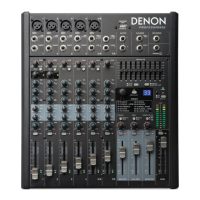
To apply effects, turn the Effects Preset Knob and press it to select one of the available
presets. To send a channel's signal to the effects processor, turn up that channel's DFX Knob
(Aux 2). Each effect has 10 variations.
Numbers Effect Description
00–09 Delay Reproduces the signal after a small period of time.
10–19 Delay+Verb Delay effect with room reverb.
20–29 Tremolo Rapidly increases and decreases the signal volume at a
regular rate.
30–39 Plate Simulates bright plate reverb.
40–49 Chorus Simulates the full, complex, watery sound of several
instruments playing the same thing.
50–59 Vocal Reverb, simulating a room with a small delay time.
60–69 Rotary Simulates the classic Doppler effect of the spinning horn
inside an organ speaker.
70–79 Small Room Reverb simulating a bright studio space.
80–89 Flange+Verb Applies room reverb plus a classic stereo flanging effect.
90–99 Large Hall Reverb simulating a large acoustic space.


 To Next Page