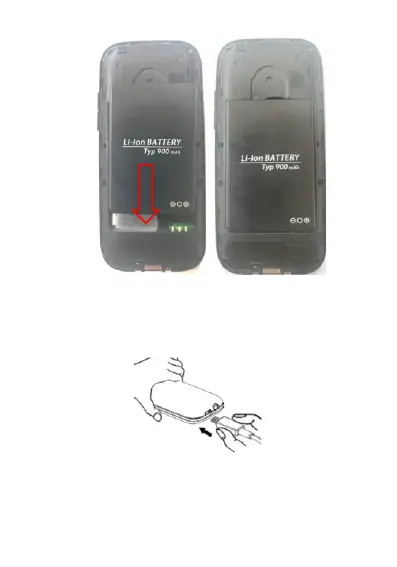
Put the rear cover on again. You will hear a click when mounted.
Before you start using the phone, charge the battery with the included
power adaptor for at least 4 hours.
3. Managing 2 SIM cards and profiles
When making a call or sending a text message you will be prompted to
select the SIM profile that you want to use (SIM 1 or SIM 2). If you use
different networks for each SIM card, the network name is displayed
clearly according to SIM 1 or SIM 2 selection.


 To Next Page