EasyManua.ls Logo

Denver BAS-18500 - User Manual

Denver BAS-18500
18 pages
Print Icon
To Next Page IconTo Next Page
Loading...
User Guide
BAS-18500
Denver.eu
03/2023
Question and Answer IconNeed help?

Do you have a question about the Denver BAS-18500 and is the answer not in the manual?

Summary

Safety Information

Product Warnings and Precautions

Key safety instructions regarding battery, temperature, water exposure, and accessory usage.

Device Overview

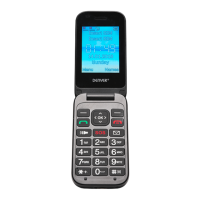
Hardware Identification and Controls

Identifies physical buttons, screen elements, and their functions in the phone's layout.

Initial Phone Setup

SIM Card and Battery Installation

Guide to inserting Nano SIM cards and the battery, including cover removal.

Dual SIM Management

Selecting SIM Profiles

Instructions on choosing SIM cards for calls and messages in a dual-SIM setup.

Display Indicators

Understanding On-Screen Icons

Explanation of icons representing signal strength, battery, calls, messages, and modes.

Menu Navigation

Messages and Contacts

Covers composing, sending, receiving messages, and managing contacts like adding and searching.

Call and Media Functions

Call History and Multimedia Access

Viewing call logs and accessing media features like camera, video, audio, and FM radio.

Phone Settings and Configuration

System Customization Options

Details on sound, display, language, security, network selection, and master reset.

Tools and Utilities

Applications and Features

Includes file management, alarm clock, calendar, calculator, Bluetooth, and emergency contacts.

Emergency Operation

SOS Button Functionality

How to activate the emergency button for calls and SMS alerts to saved contacts.

Regulatory Information

Compliance and Disposal Guidelines

Information on product recycling, waste disposal, and EU conformity declarations.
Summary

Safety Information

Product Warnings and Precautions

Key safety instructions regarding battery, temperature, water exposure, and accessory usage.

Device Overview

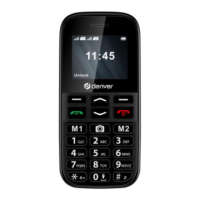
Hardware Identification and Controls

Identifies physical buttons, screen elements, and their functions in the phone's layout.

Initial Phone Setup

SIM Card and Battery Installation

Guide to inserting Nano SIM cards and the battery, including cover removal.

Dual SIM Management

Selecting SIM Profiles

Instructions on choosing SIM cards for calls and messages in a dual-SIM setup.

Display Indicators

Understanding On-Screen Icons

Explanation of icons representing signal strength, battery, calls, messages, and modes.

Menu Navigation

Messages and Contacts

Covers composing, sending, receiving messages, and managing contacts like adding and searching.

Call and Media Functions

Call History and Multimedia Access

Viewing call logs and accessing media features like camera, video, audio, and FM radio.

Phone Settings and Configuration

System Customization Options

Details on sound, display, language, security, network selection, and master reset.

Tools and Utilities

Applications and Features

Includes file management, alarm clock, calendar, calculator, Bluetooth, and emergency contacts.

Emergency Operation

SOS Button Functionality

How to activate the emergency button for calls and SMS alerts to saved contacts.

Regulatory Information

Compliance and Disposal Guidelines

Information on product recycling, waste disposal, and EU conformity declarations.

Denver BAS-18500 Specifications

General IconGeneral
BrandDenver
ModelBAS-18500
CategoryTelephone
LanguageEnglish

Related product manuals