EasyManua.ls Logo

Denver GSP-110 - User Manual

Denver GSP-110
104 pages
Print Icon
To Next Page IconTo Next Page
Loading...
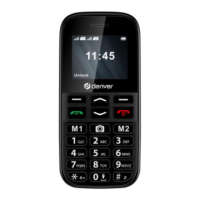
Senior Phone
GSP-110
www.facebook.com/denverelectronics
User Guide
English
Question and Answer IconNeed help?

Do you have a question about the Denver GSP-110 and is the answer not in the manual?

Summary

Getting Started

Battery Installation and Removal

Instructions for inserting and removing the phone's battery.

SIM Card Insertion and Removal

Procedures for inserting and removing the SIM card from the device.

Charging the Battery

Steps for connecting the charger and charging the phone's battery.

Phone Features

Understanding Standby Mode

Explanation of the phone's state when ready but idle.

Key Functions Overview

Navigation Up Key Function

Controls for moving up in menus and lists.

Answer Key (Green)

Used to answer incoming calls and confirm selections.

Navigation Down Key Function

Controls for moving down in menus and lists.

End Key (Red)

Used to end calls and return to previous screens.

Numeric Keypad Usage

Inputting numbers, letters, and symbols.

Special Key: *

Usage of the '*' key for special functions and input.

Special Key: #

Usage of the '#' key for special functions and input.

Hands-Free Mode

How to enable or disable speakerphone during calls.

Voice Dialing Features

Emergency Call Setup

How to configure and use the emergency call function.

International Call Procedure

Steps for making calls to international phone numbers.

Dialing Extension Numbers

How to dial extension numbers on fixed lines.

Speed Dial Setup

Setting up and using speed dial numbers for quick dialing.

RF Exposure and SAR Information

Summary

Getting Started

Battery Installation and Removal

Instructions for inserting and removing the phone's battery.

SIM Card Insertion and Removal

Procedures for inserting and removing the SIM card from the device.

Charging the Battery

Steps for connecting the charger and charging the phone's battery.

Phone Features

Understanding Standby Mode

Explanation of the phone's state when ready but idle.

Key Functions Overview

Navigation Up Key Function

Controls for moving up in menus and lists.

Answer Key (Green)

Used to answer incoming calls and confirm selections.

Navigation Down Key Function

Controls for moving down in menus and lists.

End Key (Red)

Used to end calls and return to previous screens.

Numeric Keypad Usage

Inputting numbers, letters, and symbols.

Special Key: *

Usage of the '*' key for special functions and input.

Special Key: #

Usage of the '#' key for special functions and input.

Hands-Free Mode

How to enable or disable speakerphone during calls.

Voice Dialing Features

Emergency Call Setup

How to configure and use the emergency call function.

International Call Procedure

Steps for making calls to international phone numbers.

Dialing Extension Numbers

How to dial extension numbers on fixed lines.

Speed Dial Setup

Setting up and using speed dial numbers for quick dialing.

RF Exposure and SAR Information

Denver GSP-110 Specifications

General IconGeneral
BluetoothYes
SOS buttonYes
Display1.77" TFT
GSMGSM 900/1800
SIM cardDual SIM
Memory card slotMicroSD card slot
Talk TimeUp to 4 hours
Memory32 MB RAM

Related product manuals