ENG-2
settigs ad the ope app Denver BFH-14. Tap Coect the
smart watch on Settings --> Select the iage of Sart Bracelet
for connection.
When searching and pairing device, please press on the touch
area of device and activate the device (screen on). App will search
the device automatically, select the device name in the smart
phone searching list and connect the device to the app.
After binding successfully, all information on device will sync on
APP, including time, steps, heart rate and notifications reminder.
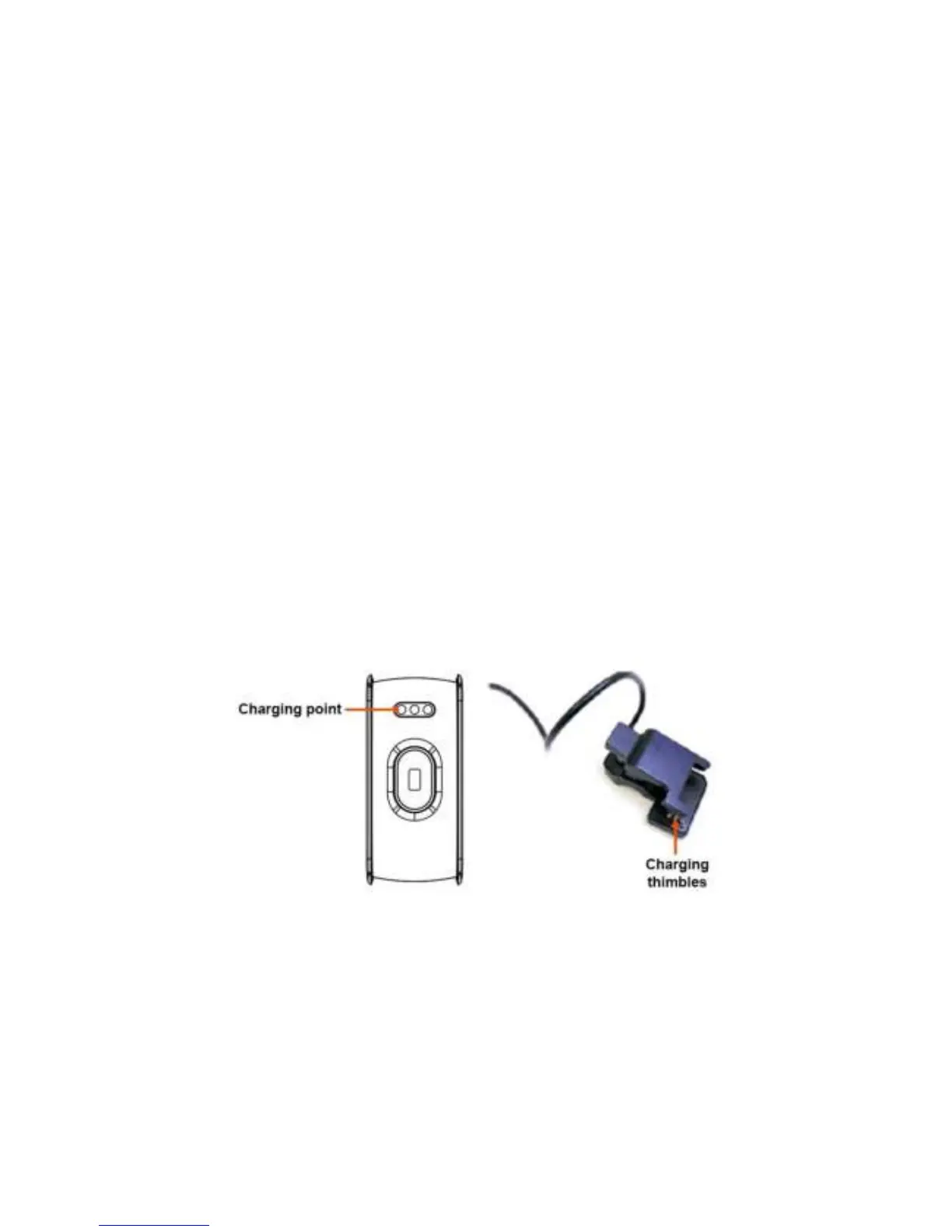
4. Device Activate & Charge
Make sure the device is charged before initial use. In case device
is low on battery, connect the device to the charger clip and
connect USB cable to your PC. The device will automatically boot
up (please clamp the charging clip to the back 3 point position of
bracelet as below)
5. How to use


 To Next Page