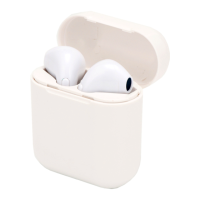
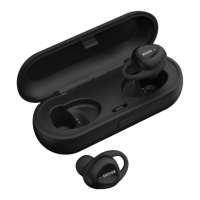
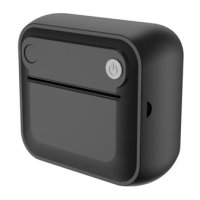
This document provides comprehensive instructions and safety guidelines for a range of Denver wireless audio devices, including Bluetooth headphones, TWS (True Wireless Stereo) earphones, and wireless earphones. The manual emphasizes user safety, proper operation, and maintenance to ensure longevity and optimal performance of the products.
Function Description
The Denver wireless audio devices are designed for personal audio playback and hands-free communication. They utilize Bluetooth wireless technology to connect to compatible devices such as smartphones, tablets, and computers, allowing users to listen to music, podcasts, and other audio content, as well as make and receive phone calls without the need for physical cables.
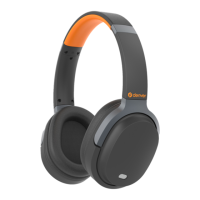
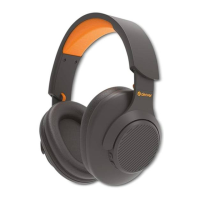
The Wireless Bluetooth Headphone is a traditional over-ear or on-ear headphone design, providing a comfortable listening experience and potentially better sound isolation. It features integrated controls for power, volume, track navigation, and call management.
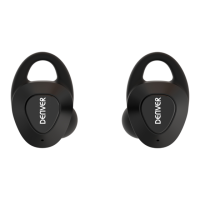
The TWS Earphone offers a truly wireless experience, with two independent earbuds that connect to each other and to the source device via Bluetooth. These earphones are typically compact and designed for portability and discreet use. They incorporate touch-sensitive controls for various functions, including volume adjustment, music playback (play/pause, next/previous song), activating voice assistants (like Siri), and call handling.
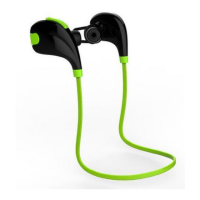
The Wireless Earphone (often a neckband or connected earbud design) provides a balance between the full wireless freedom of TWS and the more robust connection of a traditional headphone. It features an in-line remote with buttons for power, volume, track control, and call management.
All devices are equipped with internal lithium polymer batteries, enabling wireless operation for extended periods. The Bluetooth technology allows for a communication range of approximately 10 meters (30 feet), though this can vary based on environmental factors such as obstacles and electromagnetic interference.
Usage Features
General Operation (Across Devices):
- Bluetooth Pairing: All devices require initial pairing with a Bluetooth-enabled source device. This typically involves pressing and holding a power button to enter pairing mode, then searching for the device's specific pairing name (e.g., "BH918" for headphones, "G31" for TWS earphones, "EB73" or "BT698" for wireless earphones) on the source device and connecting.
- Power On/Off: A long press of the designated power button (or taking TWS earphones out of their case) turns the device on or off.
- Music Playback Control:
- Play/Pause: A single press of a specific button (or touch gesture for TWS) will play or pause the audio.
- Next/Previous Song: Short presses of '+' and '-' buttons (or specific touch gestures for TWS) allow users to skip to the next track or go back to the previous one.
- Volume Adjustment: Long presses of '+' and '-' buttons (or touch gestures for TWS) increase or decrease the volume.
- Call Management:
- Answer Call: A single press of a button (or short touch for TWS) answers an incoming call.
- Refuse Call: A long press of a button (or long touch for TWS) declines an incoming call.
- Redial: For some devices, pressing a button twice continuously will redial the last number.
- Call Back: For some devices, a double press of a button can call back.
- Voice Assistant Activation (TWS Earphones): Triple-touching either the left or right earphone activates the device's voice assistant (e.g., Siri).
Specific Device Features:
- Wireless Bluetooth Headphone: Features a dedicated "Pause/start key" for playback control.
- TWS Earphone: Utilizes touch controls on the earbuds. The left earphone typically controls volume decrease and previous song (long touch), while the right earphone controls volume increase and next song (long touch). Both can play/pause (double touch) and activate Siri (triple touch).
- Wireless Earphone: Features an in-line remote with distinct '+' and '-' buttons for volume and track control, and a central button for power, play/pause, and call management.
Maintenance Features
Safety and Handling:
- Children and Pets: The products are not toys and should be kept out of reach of children and pets to prevent choking hazards or accidental ingestion of small parts, especially the lithium polymer batteries.
- Temperature Range: Operate and store the devices within a temperature range of 0°C to 40°C. Extreme temperatures outside this range can negatively affect functionality.
- Opening the Product: Users should never attempt to open the products. Internal electrical components can cause electric shock, and repairs should only be performed by qualified personnel.
- Environmental Exposure: Avoid exposing the devices to excessive heat, water, moisture, or direct sunlight, as these can damage the internal components and lead to malfunction or safety hazards.
- Leakage/Overheating: In case of any leakage or excessive heat from the product, remove the earphones immediately to prevent burns or skin irritation.
- Hearing Protection: Protect your ears from loud volumes. Prolonged exposure to high volume levels can cause hearing damage and permanent hearing loss.
- Electromagnetic Interference: Be aware that microwaves emitted from Bluetooth devices may affect the operation of electronic medical devices.
- Water Resistance: The units are explicitly stated as not waterproof. If water or foreign objects enter the unit, stop use immediately to prevent fire or electric shock.
Disposal and Recycling:
- Battery Disposal: The devices contain lithium polymer batteries. Used batteries should be submitted to appropriate and designated facilities for recycling in accordance with local legislation. This ensures proper environmental handling and prevents harm to the environment.
- Electronic Waste Disposal: Electric and electronic equipment, including these devices, contains materials that can be hazardous to health and the environment if not handled correctly. They are marked with a crossed-out trash can symbol, indicating that they should not be disposed of with regular household waste but should be disposed of separately at established collection points or recycling stations.
General Care:
- Keep the devices clean and dry.
- Avoid dropping or subjecting the devices to strong impacts, which can damage internal components.
- Store the devices in a safe place when not in use, preferably in their original packaging or a protective case, to prevent damage.

 Need help?
 General

 To Next Page