3
POWER SOURCE
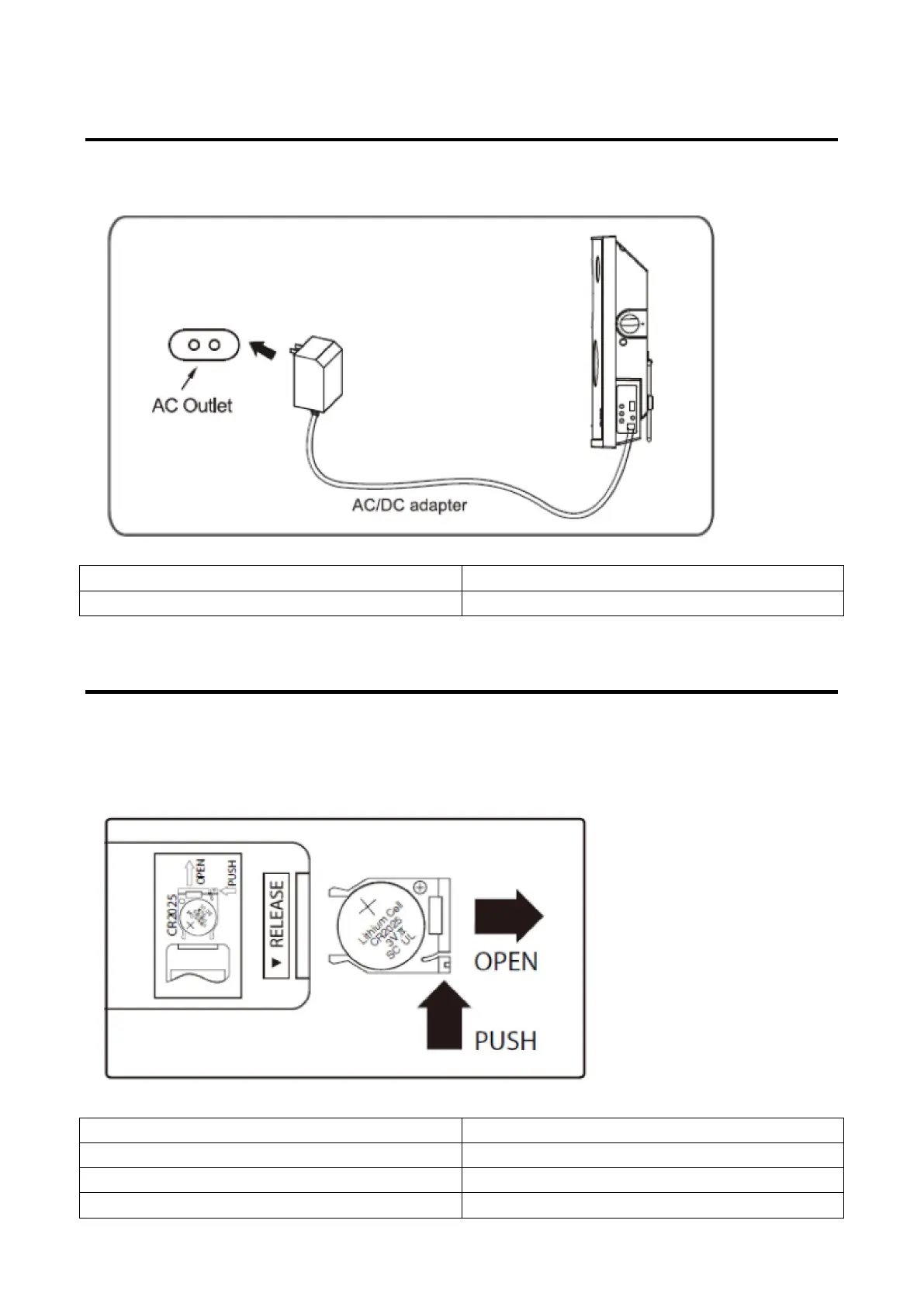
Insert the small plug from the supplied AC/DC adapter to the DC in jack on the unit. Insert the AC/DC adapter
to DC in jack on the unit.
AC Outlet
AC/DC adapter
BATTERIES INSTALLATION (REMOTE CONTROL)
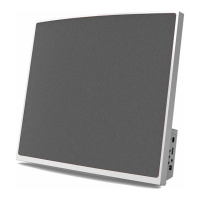
To replace the button cell:
1. Push the tab, then slide out the battery tray as the figure on the right.
2. Replace the old button cell by a new CR 2025 button cell as the polarity markings on the remote control.
3. Close the battery tray.
OPEN
PUSH
RELEASE
Lithium Cell



 To Next Page