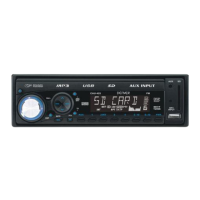
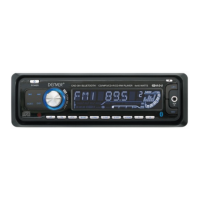
EN5
8. DISPLAY BUTTON (DISP)
Press DISP button to switch between display informations such as radio frequencies, clock, track and other informations depending
on the playing MODE.
9. MODE BUTTON (MOD)
By pressing this key, user can select. AUX/TUNER/USB or MMC/SD mode.
10. BAND / LOUDNESS BUTTON (BD/LD)
Each band is toggled cyclically by pressing this key FM1---FM2---FM3.
LOUDNESS: Press and hold this button, you can select LOUDNESS mode.
11. AUTOMATIC OR MANUAL TUNING (FREQ UP OR FREQ DOWN )
(A) RADIO MODE
When pressed short, these keys are operated as SEEK tuning mode.
When pressed longer than 1 sec., they are operated as MANUAL tuning mode.
(B) MP3/WMA PLAYER MODE
When pressed short, they are operated as TRACK UP or TRACK DOWN mode.
When pressed longer than 1 sec., they are operated as CUE or REVIEW mode.
12. AUTO SEEK SEARCH TUNING (A/PS)
By pressing shortly, the radio searches for each preset station.
When eld strength level is bigger than the threshold level of stop level, the radio is holding at that preset number for 5 sec. with releas-
ing mute, and then searches again.
By pressing longer than 1 sec, and then 6 strongest stations are preset to the corresponding preset number. When AS operation is
nished, the radio executes the preset scan.
13. ‘SCAN’ AUTOMATIC TUNING CONTROL (SCN)
1. Press the MOD button to switch to Radio mode.
2. Press SCAN button. When a station has been found, it is played for 5 seconds and then the auto-scan is continued. Press the
button again to stop the auto-scan to listen to the currently played station.
14. MUTE BUTTON (MUTE)
Press this button, audio will disappear. Press this button again in order to hear audio newly.
15. LCD DISPLAY
The Liquid Crystal Display will display the current state of the unit.
16. OPEN THE FRONT PANEL
Press button and the front panel will open.
MP3/WMA CONTROL LOCATION OF PARTS
TRACK/SEARCH BUTTON (11)
FORWARD AND REVERSE TRACK SEARCH (or changing songs)
Press the SKIP button ( or ) during play to go to the desired track(song).
....REVERSE ....FORWARD
Press and hold the SKIP button ( or ) during play to scan at high speed. When the desired music section is found, release the
button. Normal play will resume.
17. PAUSE BUTTON
During “PLAY”, press (17) ‘PAU’ button to “PAUSE”. Press it again to resume play.
18. REPEAT BUTTON
When this button is pressed, ‘RPT’ indication is displayed and play of the selected track will be continually repeated until the Track
repeat mode is cancelled by pressing ‘RPT’ button again.
19. INTRO BUTTON (Preview all Tracks)
When this button is pressed, ‘INT’ indication is displayed and the rst several seconds of each track are played. Press again to stop
intro and listen to track.
20. RANDOM BUTTON
When this button is pressed, ‘RDM’ indication is displayed and each track are played in random instead of normal progression. To cancel
RANDOM mode, press ‘RDM’ button again.
21, 22. 10 TRACK DOWN/UP SELECT (In case of MP3/WMA les)
M5: 10 Track down / M6: 10 Track up
HOW TO SELECT MP3/WMA FILES
Searching by Track:
• Press A/PS. Digit starts blinking.
• Rotate “VOL


 To Next Page
 Loading...