ENG‐6
2. Turn on the TV and the camcorder, and then set the TV to “AV” mode.
3. When the camcorder is set to record mode, you can preview the subjects you want to record
on the TV screen.
4. When the camcorder is set to Playback mode, you can review all the files stored in the camera
on the TV.
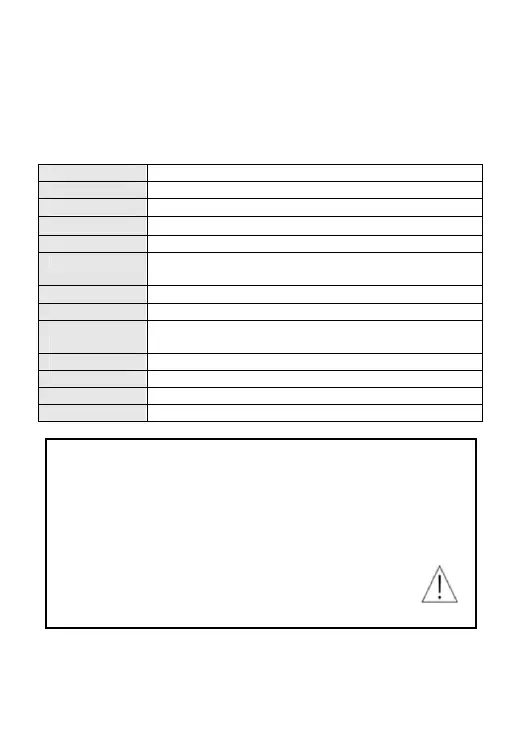
Technical Specifications
Sensor 1.3 Mega Pixels CMOS
LCD display 1.77" TFT Screen
Lens F/2.8 f=5.3mm
Shutter
Electronic Shutter: 1/2 ~ 1/800 sec
Digital zoom 4×
Resolution Image:[5M 2592*1944] / [3M 2048*1536] / [2M 1600*1200]/[VGA 640*480]
Video: [1280*720 HD]/[640*480 VGA].
Storage External memory: micro SD card(not included),up to 32GB
Power source Li-ion battery(built in)
Ambient
temperature
Operating: 0° C to 40° C
Storage: -20 to 60° C
Microphone Built-in
Speaker Built-in
Dimension 71.8x46.6x26(mm)
Weight About 55 g
Warning
• Lithiumbatteryinside!
• Donottrytoopentheproduct!
• Donotexposetoheat,water,moisture,directsunlight!
• Onlychargewiththeoriginaladaptorsuppliedwiththisproduct!
CAUTION!



 To Next Page