ENG 2
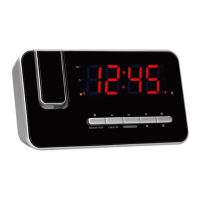
CPR-710 LED Clock Radio w/ Time Projection
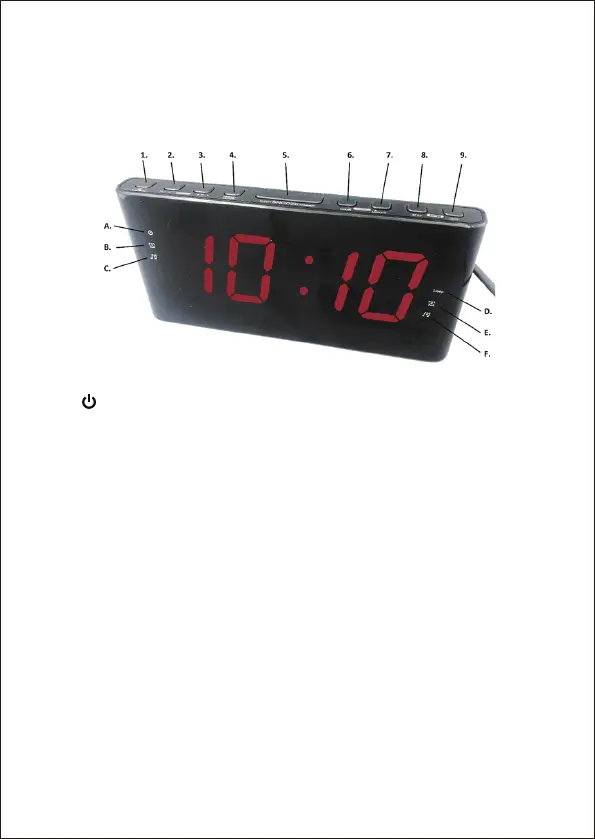
1. “ / AUTO SCAN” button
2. “VOLUME - / AL.1” button
3. “VOLUME + / AL.2” button
4. “PRESET CLOCK” button
5. “SLEEP / SNOOZE / DIMMER”
button
6. “TUNING - / HOUR” button
7. “TUNING + / MINUTE” button
8. “Projection 180° FLIP” button
9. “Projection ON/OFF” button
10. STANDBY BATTERY
COMPARTMENT (back)
Use two ‘AAA’ size batteries to
keep accurate time during
temporary power interruption.
11. ANTENNA (back)
Extend and reposition the
antenna for best radio
reception.
12. POWER CABLE (back)
Plug cable into electrical
outlet with correct voltage.
13. TIME PROJECTION (back)
Swivel for best viewing
angle.
A. Power
B. Alarm 1 BUZZER
C. Alarm 1 RADIO
D. SLEEP
E. Alarm 2 BUZZER
F. Alarm 2 RADIO


 To Next Page