

EasyManua.ls Logo

Denver CR-422 - User Manual

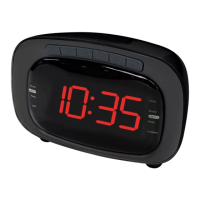
Denver CR-422
6 pages
Print Icon
To Next Page IconTo Next Page
Loading...
USER MANUAL
CR-422
WWW.DENVER-ELECTRONICS.COM
Please read this user manual carefully before start using the product.
Question and Answer IconNeed help?

Do you have a question about the Denver CR-422 and is the answer not in the manual?

Summary

Controls and Indicators

Front View Controls and Display

Identifies buttons and display elements on the front of the clock radio.

Back View Ports and Antenna

Identifies ports, antenna, and battery compartment on the back.

Preparation and Time Setting

Initial Setup and Power

Details battery backup system, placement, and plugging in the device.

Setting the Clock Time

Step-by-step guide to set the current time using the buttons.

Alarm Clock Operation

Setting Alarm Times

Instructions for setting dual alarms, including buzzer or radio wake-up.

Alarm Sounding and Snooze

Actions to take when an alarm sounds or to activate snooze.

Radio Operations

General Radio Functions

Turning radio on/off, switching modes, and adjusting volume.

FM Radio Tuning and Memory

Manual/auto tuning, displaying frequency, antenna, and storing stations.

Sleep and NAP Modes

How to use sleep timer and NAP mode features.

Display Dimmer Function

Adjusting the brightness of the clock display.

Safety and Disposal Information

Environmental Disposal Guidelines

Information on handling hazardous materials and proper disposal of electronic equipment.
Summary

Controls and Indicators

Front View Controls and Display

Identifies buttons and display elements on the front of the clock radio.

Back View Ports and Antenna

Identifies ports, antenna, and battery compartment on the back.

Preparation and Time Setting

Initial Setup and Power

Details battery backup system, placement, and plugging in the device.

Setting the Clock Time

Step-by-step guide to set the current time using the buttons.

Alarm Clock Operation

Setting Alarm Times

Instructions for setting dual alarms, including buzzer or radio wake-up.

Alarm Sounding and Snooze

Actions to take when an alarm sounds or to activate snooze.

Radio Operations

General Radio Functions

Turning radio on/off, switching modes, and adjusting volume.

FM Radio Tuning and Memory

Manual/auto tuning, displaying frequency, antenna, and storing stations.

Sleep and NAP Modes

How to use sleep timer and NAP mode features.

Display Dimmer Function

Adjusting the brightness of the clock display.

Safety and Disposal Information

Environmental Disposal Guidelines

Information on handling hazardous materials and proper disposal of electronic equipment.

Denver CR-422 Specifications

General IconGeneral
BrandDenver
ModelCR-422
CategoryClock
LanguageEnglish

Related product manuals
