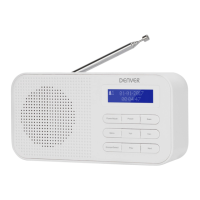
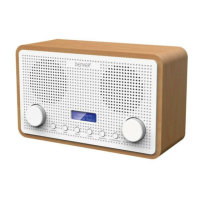
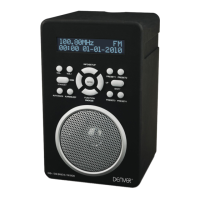
POWERSUPPLY
OPERATINGTHEUNITONACPOWER
Insertoneend atthesuppliedpowercordtothe DC 6VIN Jack locatedatthe
rearof
theunitandtheotherendintotheWalloutlet.
WhentheFirsttimeusedthecordhastobefirmlypushedintothe
socketifdoes
not
workonAC,totryagaintobesureforapositiveconnection.
OPERATINGTHEUNITONBATTERIES
1. Toplayyourunitonbatteries,theACpowercordmustbedisconnected
fromtheplayer.
2. UnplugtheACpowercordfromtheunitandinsert
4size“C”batteries
(notprovided)inthecompartment.
3. Closethebatterycompartmentdoor.
Note: Check your batteries regularly. Old or discharged batteries should be
replaced.Iftheunitisnottobeusedforsometimeorisbeingrunexclusivelyon
ACelectricalcurrent, removebatteriesfromthe
batterycompartmenttoavoid
leakage.
• Warning: Before using the unit. Check that the local mains supply is
compatiblewiththeUnitDonotplugorunplugthepowercablewhen
yourhandswet.
• Whenplanningnottousethisunitforlongperiodsoftime(i.e.Vacation
etc.)
disconnecttheplugfromthewalloutlet.
BATTERYSAFETYPRECAUTIONS:
• Keepbatteriesawayfromchildrenandpets.
• Insert the batteries observing the proper polarity (+/‐). Failure to
properly align the battery polarity can cause personal injury and/or
propertydamage.
• Remove old or discharged batteries from the product.
Remove the
batteries when the product will not be used for extended periods of
timetopreventdamageduetorustedorcorrodedbatteries.
• Neverthrowbatteriesintoafire,donotexposebatteriestofireorother
heatsources.
• BatteryDisposal:Oldordischargedbatteriesmustbe
properlydisposed
of and recycled in compliance with all applicable laws. For detailed
information,contactyourlocalsolidwasteauthority.
• Follow the battery manufacturer’s safety, usage, and disposal
instructions.
OPERATION
PresstheStandbybuttontoturntheunit.
INDABMODE
1. PresstheDAB/FM/AUXbuttontoselectDAB
radiomode
i) Autoselect: PresstheSCAN button,“AUTOTUNE FULLSCAN” will
showonthedisplay,andthenumberofDABstationwillshownon
theupperrightcorner,anditwillautomaticallyplaythefirststation.
TunetheTUNE/SELECTknobtochoosethenextorpreviousstation.
ii) Manual select: Press and hold the TUNE/SELECT knob until the
“MANUAL TUNE” icon shown on the display, then tune the
TUNE/SELECTknobtochoosethestation.
Note:youmanyhavetowaitfortheunittotuneintothenewchannel.
2. DABRadiostationspresetting:
i)
To receive the desired DAB station, press and hold the PRESET
button, “Preset Empty X” (X is the current program number) will
appearonthedisplay,thecurrentprogramnumber"X"isflashing
onthedisplay
ii) Tune the TUNE/SELECT knob to choose your desired program
number(1‐10)you want
stored to.ThenpressTUNE/SELECTknob
tostoreit.
iii) Repeat the same procedures until all the desired radio stations
werestoredintotheprogramlist.
iv) Recallthememory,pressPRESETbuttonandtunetheTUNE/SELECT
knob to select the stored radio station as desired. Press the
TUNE/SELECTknob
toconfirm.
Pleasenote:YoumayalsorecallthememoryofPreset1,Preset2andPreset3
stationsbysimplypressthe1,2,3knobontheunit.
INFMMODE
1) Press the DAB/FM/AUX button to select FM radio mode, press the SCAN
button,whenaradio
isfound,thefrequencyondisplaywillstoprunningand
startplaybackautomatically.
2) Ifreceptionisnogood,tunetheTUNE/SELECTknobtofinetune.FMradio
presettingissameasDABradiopresetting
说明书1.pdf 3 2014-04-23 16:14:45



 To Next Page
 Loading...