EasyManua.ls Logo

Denver DRO-121 - User Manual

Denver DRO-121
9 pages
Print Icon
To Next Page IconTo Next Page
Loading...
AUTO HOVER FUNCTION
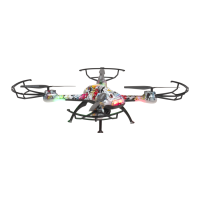
4-AXIS DRONE
DENVER DRO-121
Thank you for choosing this product.
Please read this manual carefully before flying.
Retain this manual for future reference.
The images are for reference only.
Question and Answer IconNeed help?

Do you have a question about the Denver DRO-121 and is the answer not in the manual?

Summary

Drone Controls Overview

One-Button Take-off;Landing

Initiates or stops flight with a single button press.

Speed Control Button

Adjusts the drone's flight speed settings.

Throttle Lever

Controls the drone's ascent and descent.

Emergency Stop Function

Immediately halts all drone functions.

One-Button Return

Recalls the drone to its takeoff point automatically.

Directional Trimming Controls

Adjusts drone's flight to counter directional drift.

Flight Calibration

Resets drone sensors for stable flight.

Headless Flight Mode

Simplifies flight control by aligning with controller orientation.

3 D Flip Maneuver

Performs acrobatic 360-degree flips.

Remote Control Battery Installation

Aircraft Battery Charging and Pairing

Battery Charging Procedure

Instructions for charging the drone's battery using a USB charger.

Transmitter and Receiver Pairing

Steps to pair the remote control with the drone.

Flight Adjustments and Settings

Flight Trim Adjustment

Adjust drone trim to correct drifting during flight.

Forward;Backward Trim

Corrects forward/backward drift during takeoff.

Left;Right Trim

Corrects left/right drift during takeoff.

Recalibration Process

Resets drone sensors for stable flight on a flat surface.

Headless Mode Operation

Simplifies flight control by aligning with controller orientation.

One-Button Return Function

Recalls the drone to its takeoff point automatically.

Speed Mode Selection

Controls and switches between different flight speed modes.

3 D Flip Maneuver Instructions

Instructions for performing 360-degree flips.

Propeller Guard Installation

Summary

Drone Controls Overview

One-Button Take-off;Landing

Initiates or stops flight with a single button press.

Speed Control Button

Adjusts the drone's flight speed settings.

Throttle Lever

Controls the drone's ascent and descent.

Emergency Stop Function

Immediately halts all drone functions.

One-Button Return

Recalls the drone to its takeoff point automatically.

Directional Trimming Controls

Adjusts drone's flight to counter directional drift.

Flight Calibration

Resets drone sensors for stable flight.

Headless Flight Mode

Simplifies flight control by aligning with controller orientation.

3 D Flip Maneuver

Performs acrobatic 360-degree flips.

Remote Control Battery Installation

Aircraft Battery Charging and Pairing

Battery Charging Procedure

Instructions for charging the drone's battery using a USB charger.

Transmitter and Receiver Pairing

Steps to pair the remote control with the drone.

Flight Adjustments and Settings

Flight Trim Adjustment

Adjust drone trim to correct drifting during flight.

Forward;Backward Trim

Corrects forward/backward drift during takeoff.

Left;Right Trim

Corrects left/right drift during takeoff.

Recalibration Process

Resets drone sensors for stable flight on a flat surface.

Headless Mode Operation

Simplifies flight control by aligning with controller orientation.

One-Button Return Function

Recalls the drone to its takeoff point automatically.

Speed Mode Selection

Controls and switches between different flight speed modes.

3 D Flip Maneuver Instructions

Instructions for performing 360-degree flips.

Propeller Guard Installation

Denver DRO-121 Specifications

General IconGeneral
BrandDenver
ModelDRO-121
CategoryDrones
LanguageEnglish

Related product manuals