EasyManua.ls Logo

Denver DVBT-43 - User Manual

Denver DVBT-43
13 pages
Print Icon
To Next Page IconTo Next Page
Loading...
DVBT-43
USER MANUAL
Digital TV Receiver
ENGLISH
Question and Answer IconNeed help?

Do you have a question about the Denver DVBT-43 and is the answer not in the manual?

Summary

Safety Information

Hazard Warnings & Precautions

Warnings regarding electric shock, fire, and environmental exposure.

Important Safeguards

Crucial safety instructions for user enjoyment and proper product use.

Introduction

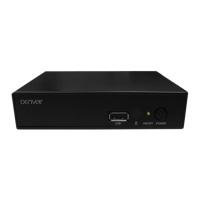
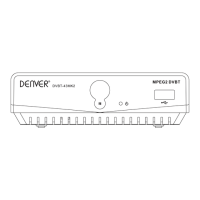
Front Panel Overview

Details the components and connections visible on the front panel of the receiver.

Remote Control Overview

Explains the functions of various buttons on the provided remote control.

Using the Set Top Box

First Time Installation

Guides users through the initial setup process upon first power-on.

Volume Control

Explains how to adjust the audio volume using the remote control.

Channel Scan

Details the methods for scanning and finding available TV channels.

Setup Menu

Accesses settings for OSD language, TV system, timers, and parent lock.

Tools

Provides access to receiver info, games, default settings, and software upgrades.

EPG (Electronic Program Guide)

Displays channel program information and allows booking for playback or recording.

Media Player

Enables playback of media files (MP3, JPEG, WMA, MPEG) from USB devices.

Recording and Timeshifting

Explains how to record programs and use the timeshifting feature.

Recording

Details the process of initiating and managing program recordings.

Timeshifting

Guides on using the timeshift function with minimum free space requirements.

PVR Configuration

Allows setting up recording preferences like storage, type, and timeshift mode.

Specifications

Summary

Safety Information

Hazard Warnings & Precautions

Warnings regarding electric shock, fire, and environmental exposure.

Important Safeguards

Crucial safety instructions for user enjoyment and proper product use.

Introduction

Front Panel Overview

Details the components and connections visible on the front panel of the receiver.

Remote Control Overview

Explains the functions of various buttons on the provided remote control.

Using the Set Top Box

First Time Installation

Guides users through the initial setup process upon first power-on.

Volume Control

Explains how to adjust the audio volume using the remote control.

Channel Scan

Details the methods for scanning and finding available TV channels.

Setup Menu

Accesses settings for OSD language, TV system, timers, and parent lock.

Tools

Provides access to receiver info, games, default settings, and software upgrades.

EPG (Electronic Program Guide)

Displays channel program information and allows booking for playback or recording.

Media Player

Enables playback of media files (MP3, JPEG, WMA, MPEG) from USB devices.

Recording and Timeshifting

Explains how to record programs and use the timeshifting feature.

Recording

Details the process of initiating and managing program recordings.

Timeshifting

Guides on using the timeshift function with minimum free space requirements.

PVR Configuration

Allows setting up recording preferences like storage, type, and timeshift mode.

Specifications

Denver DVBT-43 Specifications

General IconGeneral
TypeTV Receiver
TV tuner typeDVB-T2
HDMI PortsYes
HDMI ports quantity1
USB PortsYes
USB 2.0 ports quantity1
Audio OutputStereo
Image Formats SupportedJPEG
HDMI OutputYes
Composite Video OutputYes
Tuner TypeDVB-T2
Video Formats SupportedH.264
Audio Formats SupportedAAC, MP3
Video FormatsMPEG2, MPEG4
Audio FormatsMP3
ResolutionFull HD (1080p)

Related product manuals