EasyManua.ls Logo

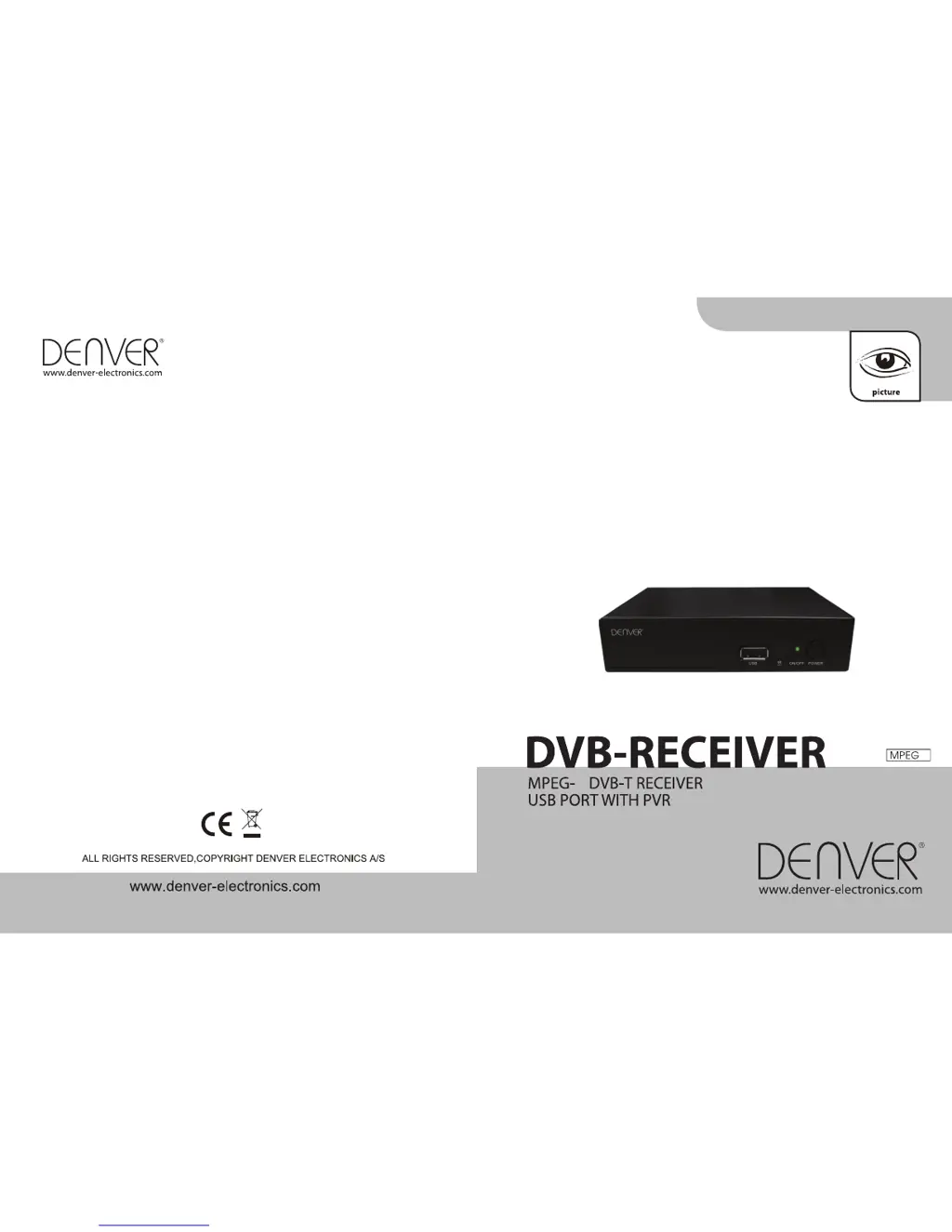
Denver DVBT-42 - User Manual

Denver DVBT-42
94 pages
Print Icon
To Next Page IconTo Next Page
Loading...
2
DVBT-42
2
INSTRUCTION MANUAL
BEDIENUNGSANLEITUNG
PRIRUČNIK S UPUTAMA ZA RAD

Table of Contents

Other manuals for Denver DVBT-42

Questions and Answers

Summary

Safety and Precautions

General Safety Warnings

Crucial warnings about fire, electric shock, and unauthorized repairs.

Installation and Ventilation Guidelines

Instructions for proper placement, airflow, and protection from environmental hazards.

Electricity Supply Requirements

Key Product Features Overview

STB Installation and Connections

Front and Rear Panel Overview

Identifies and describes the connectors and controls on the front and rear panels.

Connecting External Devices

Remote Control Functions Explained

Initial Setup and Welcome Guide

System Navigation and Menus

Channel Menu Operations

Overview of the channel-related options available in the main menu.

Managing TV Channel Lists

Channel Editing and Security

Steps for editing channels, setting favorites, and locking channels.

Advanced Channel List Utilities

Radio Channels and Data Cleanup

System Installation and Tuning

Automatic Channel Scanning

Procedure for automatically searching for available TV and radio channels.

Manual Channel Scanning Modes

Explanation of scanning by channel or frequency and network search.

Tuner Setting Adjustments

Options for configuring tuner power and loop-through functionality.

System Setup and Configuration

OSD Language and TV System Settings

Configuring OSD language and TV system parameters like aspect ratio and output.

Region, Time, and Timer Settings

OSD Display Preferences

Parental Control Setup

Program Timer Configuration

Sleep Timer Configuration

Parental Lock Management

System Tools and Entertainment

Accessing Receiver Information

Viewing basic information about the receiver.

Playing Built-in Games

Instructions for playing the included Snake and Othello games.

Resetting to Factory Defaults

Software Update Procedures

Software Update via Air

Software Update via USB Storage

Media Playback and File Management

Media Player Interface and Navigation

Overview of the media player's layout and how to navigate file lists.

Music File Playback Controls

Image File Viewing and Rotation

MPEG Video Playback Operations

Media Player Control Buttons

Media Player Slide Show Settings

Record Management Interface

Managing Recorded Files

Removable Disk Information Display

DVR Configuration Options

Timeshift and Recording Settings

Configuring timeshift buffer, recording format, standby behavior, and recovery.

Safely Removing USB Storage

DVR Recording and Playback

Initiating and Managing Recordings

How to start, stop, and manage the duration of recorded programs.

Recording File List Management

Timeshift Operation Details

Technical Specifications

Troubleshooting Common Issues

Usage Tips and Environmental Advice

Summary

Safety and Precautions

General Safety Warnings

Crucial warnings about fire, electric shock, and unauthorized repairs.

Installation and Ventilation Guidelines

Instructions for proper placement, airflow, and protection from environmental hazards.

Electricity Supply Requirements

Key Product Features Overview

STB Installation and Connections

Front and Rear Panel Overview

Identifies and describes the connectors and controls on the front and rear panels.

Connecting External Devices

Remote Control Functions Explained

Initial Setup and Welcome Guide

System Navigation and Menus

Channel Menu Operations

Overview of the channel-related options available in the main menu.

Managing TV Channel Lists

Channel Editing and Security

Steps for editing channels, setting favorites, and locking channels.

Advanced Channel List Utilities

Radio Channels and Data Cleanup

System Installation and Tuning

Automatic Channel Scanning

Procedure for automatically searching for available TV and radio channels.

Manual Channel Scanning Modes

Explanation of scanning by channel or frequency and network search.

Tuner Setting Adjustments

Options for configuring tuner power and loop-through functionality.

System Setup and Configuration

OSD Language and TV System Settings

Configuring OSD language and TV system parameters like aspect ratio and output.

Region, Time, and Timer Settings

OSD Display Preferences

Parental Control Setup

Program Timer Configuration

Sleep Timer Configuration

Parental Lock Management

System Tools and Entertainment

Accessing Receiver Information

Viewing basic information about the receiver.

Playing Built-in Games

Instructions for playing the included Snake and Othello games.

Resetting to Factory Defaults

Software Update Procedures

Software Update via Air

Software Update via USB Storage

Media Playback and File Management

Media Player Interface and Navigation

Overview of the media player's layout and how to navigate file lists.

Music File Playback Controls

Image File Viewing and Rotation

MPEG Video Playback Operations

Media Player Control Buttons

Media Player Slide Show Settings

Record Management Interface

Managing Recorded Files

Removable Disk Information Display

DVR Configuration Options

Timeshift and Recording Settings

Configuring timeshift buffer, recording format, standby behavior, and recovery.

Safely Removing USB Storage

DVR Recording and Playback

Initiating and Managing Recordings

How to start, stop, and manage the duration of recorded programs.

Recording File List Management

Timeshift Operation Details

Technical Specifications

Troubleshooting Common Issues

Usage Tips and Environmental Advice

Denver DVBT-42 Specifications

General IconGeneral
Product typeTV Receiver
High Definition SupportYes
USB portYes
Power consumption (typical)8W
Tuner TypeDVB-T/T2
EPGYes
HDMI OutputYes
Composite OutputYes
Scart OutputYes
Video formats supportedH.264, MPEG4
Audio formats supportedMP3
ConnectivityHDMI, USB, SCART
Resolution1920 x 1080

Related product manuals