EasyManua.ls Logo

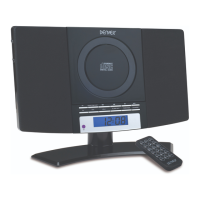
Denver MC5220 - User Manual

Denver MC5220
9 pages
Print Icon
To Next Page IconTo Next Page
Loading...
CD PLAYER WITH FM ALARM CLOCK PLL RADIO
'HQYHU0&(QJB:)%B,%)HE$7
BEFORE OPERATING THIS PRODUCT, READ, UNDERSTAND, AND FOLLOW THESE
INSTRUCTIONS.
Be sure to save this booklet for future reference.
www.facebook.com/denverelectronics

Other manuals for Denver MC5220

Question and Answer IconNeed help?

Do you have a question about the Denver MC5220 and is the answer not in the manual?

Summary

Safety Instructions

General Safety Guidelines

Read and follow all safety and operating instructions for safe product use.

Electrical Safety

Prevent electric shock by not removing covers and ensuring proper plug insertion.

Environmental Considerations

Avoid exposure to rain, moisture, and ensure proper ventilation for the unit.

Antenna Grounding Example

Diagram and explanation for proper antenna grounding as per NEC standards.

Laser Safety Warning

Do not defeat safety interlocks due to invisible laser radiation when open.

Controls and Power

Unit and Remote Control Layout

Identification of buttons and displays on the main unit and remote control.

Unit Power Supply

Instructions on connecting the AC/DC adaptor to the unit and power outlet.

Setup and Alarm Functions

Wall Mounting Installation

Steps for safely mounting the unit on a wall, considering weight support.

Clock and Alarm Settings

Procedure for setting the clock and configuring wake-up alarms (buzzer, radio, CD).

Operation and Features

Volume Adjustment

How to increase or decrease the audio volume using the unit or remote.

Radio Operation

Tuning, preset station storage, and memory recall for radio functions.

Compact Disc (CD) Handling and Care

Proper handling, cleaning, and care for CDs and the player's laser lens.

CD Playback Modes

Operating CD playback: random play, repeat, track scanning, and programming.

Auxiliary Input and Headphone Jack

Connecting external devices via AUX and using the headphone jack.

Snooze Functionality

How to use the snooze feature to temporarily silence an active alarm.

Copyright and Importer Information

Summary

Safety Instructions

General Safety Guidelines

Read and follow all safety and operating instructions for safe product use.

Electrical Safety

Prevent electric shock by not removing covers and ensuring proper plug insertion.

Environmental Considerations

Avoid exposure to rain, moisture, and ensure proper ventilation for the unit.

Antenna Grounding Example

Diagram and explanation for proper antenna grounding as per NEC standards.

Laser Safety Warning

Do not defeat safety interlocks due to invisible laser radiation when open.

Controls and Power

Unit and Remote Control Layout

Identification of buttons and displays on the main unit and remote control.

Unit Power Supply

Instructions on connecting the AC/DC adaptor to the unit and power outlet.

Setup and Alarm Functions

Wall Mounting Installation

Steps for safely mounting the unit on a wall, considering weight support.

Clock and Alarm Settings

Procedure for setting the clock and configuring wake-up alarms (buzzer, radio, CD).

Operation and Features

Volume Adjustment

How to increase or decrease the audio volume using the unit or remote.

Radio Operation

Tuning, preset station storage, and memory recall for radio functions.

Compact Disc (CD) Handling and Care

Proper handling, cleaning, and care for CDs and the player's laser lens.

CD Playback Modes

Operating CD playback: random play, repeat, track scanning, and programming.

Auxiliary Input and Headphone Jack

Connecting external devices via AUX and using the headphone jack.

Snooze Functionality

How to use the snooze feature to temporarily silence an active alarm.

Copyright and Importer Information

Denver MC5220 Specifications

General IconGeneral
Product typePortable CD Player
Disc types supportedCD, CD-R, CD-RW
MP3 playbackYes
Programmable memoryYes
ESP (Electronic Skip Protection)Yes
Headphone outputYes
ColourBlack
Frequency Response20 Hz - 20 kHz
Power source2 x AA batteries or AC adapter
Signal-to-Noise Ratio80dB
Power SupplyAC adapter or batteries

Related product manuals