EasyManua.ls Logo

Denver TRC-1480 MK2 User Manual

Denver TRC-1480 MK2
56 pages
To Next Page IconTo Next Page
Page #1 background imageLoading...
Page #1 background image
English
INSTRUCTION MANUAL DENVER TRC-1480 MK2
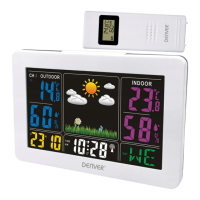
Wireless Indoor and Outdoor Thermometer, Clock and Weather Station
QUICK START GUIDE
1. Slide the battery cover at the rear of your indoor unit open.
2. Insert 2 x AAA batteries in the battery compartment; observe correct polarity (+/-) as printed
inside the battery compartment.
3. Replace the battery cover. After a few seconds the LCD shows default time, calendar and
current indoor temperature and starts to search for the outdoor temperature signal.
ENG-1
Question and Answer IconNeed help?

Do you have a question about the Denver TRC-1480 MK2 and is the answer not in the manual?

Denver TRC-1480 MK2 Specifications

General IconGeneral
BrandDenver
ModelTRC-1480 MK2
CategoryWeather Station
ClockYes
CalendarYes
Indoor temperatureYes
Outdoor temperatureYes
Weather forecastYes
Display TypeLCD
Wireless TransmissionYes
Forecast FunctionYes
Alarm FunctionYes
Humidity Range20% to 95%
Power SourceBattery
Transmission Range30 meters

Related product manuals