Need help?
Do you have a question about the Denver VPR-190 and is the answer not in the manual?
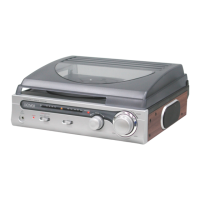
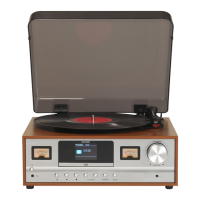
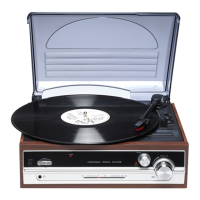
This document describes the DENVER VPR-190 Turntable with Stereo Radio, a versatile audio system designed for playing vinyl records and listening to FM radio. It also offers auxiliary input and line-out capabilities for connecting external audio devices.
The DENVER VPR-190 serves as a multi-functional audio player. Its primary function is to play vinyl records at various speeds, providing a classic listening experience. In addition to record playback, it integrates a stereo FM radio, allowing users to tune into their favorite stations. The device also features an AUX-IN jack, enabling connection to external audio sources like MP3 players or smartphones, effectively turning the VPR-190 into an external speaker for these devices. Furthermore, a LINE OUT connection allows the unit to be integrated into a larger home audio system, such as a Hi-Fi or amplifier, for enhanced sound output.
General Operation: The unit is powered on and off using the POWER/VOL knob, which also controls the overall volume. A Power LED Indicator illuminates when the unit is active. A Function Switch allows users to select between different modes: PHONO (for turntable), TUNER (for radio), and AUX (for auxiliary input).
Turntable Operation: To play records, the user first slides the Function switch to the PHONO position. The dust cover should be raised, and the record placed on the platter. For 45 RPM records, a dedicated 45 RPM Record Adaptor is provided and should be used. The Turntable Speed Selector allows the user to choose the correct playback speed (e.g., 33 1/3, 45, or 78 RPM) for the record being played. Before playing, the stylus protector must be removed, and the tone arm unlocked from its rest. The tone arm is then manually lifted from the Tone Arm Rest/Holder and slowly moved over the record. As the tone arm is placed onto the record, the platter begins spinning. The user can place the tone arm at any desired position on the record to start playback. Volume is adjusted via the POWER/VOL knob. The turntable features an Auto Stop Switch. When this switch is in the "ON" position, playback automatically stops when the tone arm reaches the end of the record. However, some records may have an auto-stop area that causes the turntable to stop before the last track finishes. In such cases, setting the Auto Stop Switch to "OFF" allows the record to play to the end, though manual intervention will be required to lift the tone arm and return it to its rest, as the turntable will not stop automatically. After use, the tone arm should be returned to its rest and locked, and the stylus protector replaced for protection.
Radio Operation: For radio listening, the Function switch is set to the TUNER position. The Tuning Knob is used to scan for radio stations. The FM Frequency Pointer, accompanied by an LED Indicator, shows the current FM frequency. An FM Stereo Indicator lights up when a stereo broadcast is received. The FM Wire Antenna, located at the back of the unit, should be extended for optimal reception. Volume is controlled by the POWER/VOL knob.
Auxiliary Input (AUX-IN) Connection: To connect an external audio device, a 3.5mm audio cable (not included) is used to link the AUX-IN jack on the VPR-190 to the audio output of the external device (e.g., Disc/MP3 player). The Function switch is then set to the AUX position. Once the external device begins playing, its audio will be routed through the VPR-190's speakers. The volume can be adjusted using the POWER/VOL knob on the VPR-190.
Line Out Connection: The VPR-190 can output its audio to an external audio system, such as a Hi-Fi or amplifier, using the Line Out Sockets (L/R). An RCA cable (not included) is required for this connection. When using the LINE OUT feature, it's important to note that the volume control on the VPR-190 (POWER/VOL knob) becomes inactive, as the volume will typically be controlled by the connected external audio system.
General Care: The device should be cleaned only with a dry cloth. It is crucial to avoid blocking any ventilation openings to ensure proper heat dissipation. The unit should not be installed near heat sources like radiators, heat registers, stoves, or other heat-producing apparatus. The power cord must be protected from being walked on or pinched, especially at plugs, convenience receptacles, and where it exits the apparatus.
Environmental Protection: The VPR-190 is designed to be protected from dripping or splashing water, and no objects filled with liquids, such as vases, should be placed on the apparatus. It is also advised not to overload wall outlets and to use only the power source indicated.
Servicing: All servicing should be referred to qualified service personnel. Servicing is necessary if the apparatus has been damaged in any way, including damage to the power-supply cord or plug, if liquid has been spilled or objects have fallen into the apparatus, if the apparatus has been exposed to rain or moisture, if it does not operate normally, or if it has been dropped.
Disposal: The device is marked with a crossed-out trash can symbol, indicating that electric and electronic equipment should not be disposed of with general household waste. Instead, it should be disposed of separately through established collection points for recycling. This ensures that materials, components, and substances that could be hazardous to health and the environment are handled correctly. Additional information regarding collection points is available from local technical departments.
 General
| Speeds | 33 1/3, 45, 78 RPM |
|---|---|
| Connectivity | Bluetooth, RCA |
| Cartridge | Ceramic cartridge |
| Outputs | RCA |
| Features | Built-in speakers, Bluetooth |
| Type | Belt-drive turntable |

 To Next Page