b. Videos viewing
Press Replay button to start the video, press Replay button again to stop.
Note: Press OK to return to screen.
D. Please note that this is not an error with the Camera:
Heavy rain, fog and drizzle (in the dark) will give white photos without motive
E. Sending image via 2G/GSM/MMS/GPRS
Preparation
1. 2G/GSM Mobile Operator Service.
2. Format 2GB+ microSD card.
3. Computer (Vista, Windows 7, windows 8 system).
4. One SIM card without PIN lock
5. The SIM card should be able to send images via 2G/GSM/ GPRS/MMS network.
6. 12V power(8 AA Batteries, or 12V input power supply).
7. MMSCONFIG Program in CD.
8. Users need to ask the provider 2G MMS data (APN+account+password, MMSC+IP+PORT) or find this info on providers homepage.
9. 2G GPRS data for SMTP setting from provider (APN+account+password).
10.Sender Email server info (server+port+email+password).
MMS Setting Steps
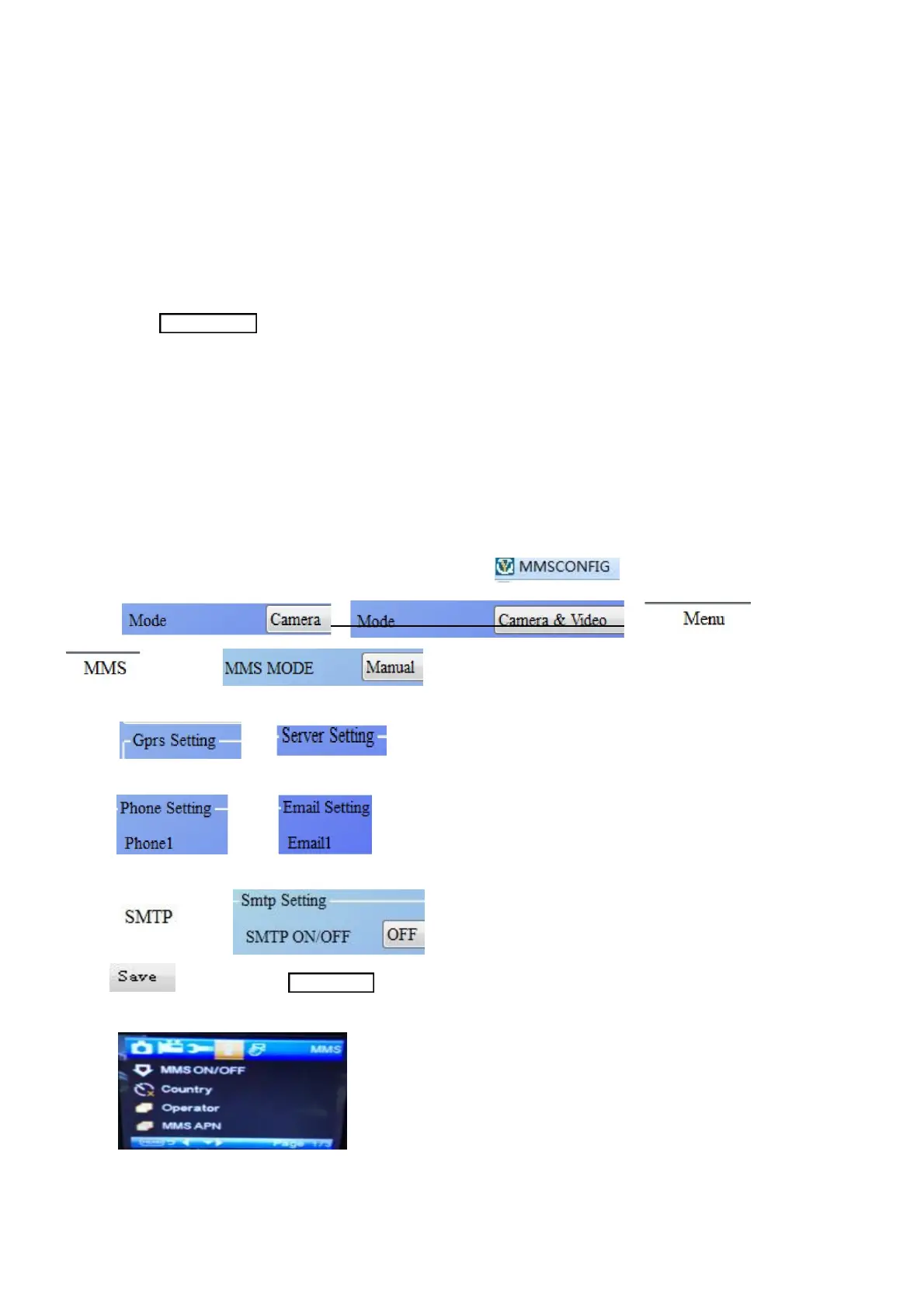
1. Insert microSD card and SIM to camera,put batteries in cam,
then turn camera to test mode,check there are signal bar and ''SIM'' on the camera screen. Then connect the camera to the PC with the
4. Fill in and or
5. Go to , choose
6. Click button and save as Parameter.dat to microSD card.
7. Plug USB cable from camera.
8. Go to in camera menu, check the sub setting is the same with above setting.
9. Turn camera to on mode GPRS Setting Steps
1. Insert microSD card and SIM to camera, put batteries in cam.
then turn camera to test mode, check there are signal bar and ''SIM'' on the camera screen. Then connect the camera to the PC with
the included USB cable.


 To Next Page