
EasyManua.ls Logo

Deprag MINIMAT-ED Series - User Manual

Deprag MINIMAT-ED Series
32 pages
Print Icon
To Next Page IconTo Next Page
Loading...
014161en
Operating Instruction Booklet
- Original instructions -
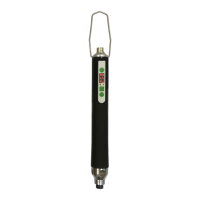
Digital Electric Screwdriver
MINIMAT-ED
330EG36-0012 440000 A
330EG36-0018 440000 B
330EG36-0048 440000 C
330EG36-0032 440000 E
NOTICE ALL DOCUMENTATIONS !
Before beginning work this operating instruction booklet and the enclosed
safety instructions (no. 016000, pink-colored booklet) have to be read through
carefully. Always follow the instructions during operation. Give this operating in-
struction booklet and the appropriate safety instructions to the operator.

Table of Contents

Questions and Answers

Summary

Signal Word and Symbol Definition

Safety Instructions

2.1. Safety Instructions for Electronic Screwdrivers

Key safety precautions for electronic screwdrivers, covering personal safety and equipment handling.

Intended Use

Delivery Capacity

General

Operation

6.1. Dimensional Drawing

Technical drawing detailing the dimensions and key physical features of the screwdriver.

6.2. Assembly Instructions

Step-by-step guide for connecting and setting up the electric screwdriver and its components.

6.3. Change of Bits

Instructions on how to safely and correctly replace bits in the quick-change chuck.

Operation

7.1. Operating element

Description of the screwdriver's user interface, including display, LEDs, and function buttons.

7.1.1 Status LEDs

Explanation of the status LEDs indicating OK or NOT OK for screw assembly.

7.1.2 Function buttons

Details the functions of the start, reversal, and program selection/menu buttons.

7.1.3 Display

Information displayed on the screwdriver during operation, including results and error codes.

7.2. Screwdriver start

How to start the screwdriver using push-to-start or button activation.

7.3. Program selection; Torque setting

Procedure for selecting programs and adjusting torque settings on the screwdriver.

7.4. Menu operation

Guide on navigating and operating the screwdriver's menu system.

7.5. Menu structure

Overview of the main menu functions and their corresponding settings or criteria.

7.6. Pressure test function

Procedure for testing the push-to-start function and its thresholds.

7.7. Display test

Instructions for performing a display test to check segment and button functionality.

Description of the settings

Screwdriving template

9.1. Description of the screwdriving sequences

Explanation of the structure and parameters for various screwdriving sequences.

9.2. Screw assembly program

Details the parameters and steps for screw assembly sequences like Search run and Screw assembly to torque.

9.3. Loosening program

Details the structure and parameters for loosening programs, specifically 'Loosening to angle'.

Maintenance and Upkeep

Error display and troubleshooting

11.1. System error

Troubleshooting steps and error codes for system-related issues encountered by the screwdriver.

11.2. Error in the screwdriving sequence

Explanation of error codes related to screwdriving sequence failures and their solutions.

Troubleshooting

Accessories - Optional Equipment

13.1. Required accessories

Lists essential accessories required for the operation of the electric screwdriver.

13.1.1 Motor cable

Details available motor cable options by length and part number.

13.1.2 Power unit

Information on the compatible power unit, including its part number.

13.1.3 Power supply cable

Lists power supply cables by region and part number.

13.2. Optional accessories

Lists various optional accessories that can enhance the screwdriver's functionality.

13.2.1 Spring sleeve

Details the spring sleeve accessory, its assembly, and available variants.

13.2.2 EF-Control

Information on the EF-Control accessory, specifically the ComCenter ED.

13.2.3 Screwdriver adapter

Details the screwdriver adapter for stands and the correct clamping method.

13.2.4 Balancer

Provides details on balancers, including load ranges, cable travel, and order numbers.

13.2.5 Additional accessories

References additional accessories and where to find more information.

Shut Down and Storage

Technical Data

EC-Conformity Declaration

Service Locations and Authorized Partners

Summary

Signal Word and Symbol Definition

Safety Instructions

2.1. Safety Instructions for Electronic Screwdrivers

Key safety precautions for electronic screwdrivers, covering personal safety and equipment handling.

Intended Use

Delivery Capacity

General

Operation

6.1. Dimensional Drawing

Technical drawing detailing the dimensions and key physical features of the screwdriver.

6.2. Assembly Instructions

Step-by-step guide for connecting and setting up the electric screwdriver and its components.

6.3. Change of Bits

Instructions on how to safely and correctly replace bits in the quick-change chuck.

Operation

7.1. Operating element

Description of the screwdriver's user interface, including display, LEDs, and function buttons.

7.1.1 Status LEDs

Explanation of the status LEDs indicating OK or NOT OK for screw assembly.

7.1.2 Function buttons

Details the functions of the start, reversal, and program selection/menu buttons.

7.1.3 Display

Information displayed on the screwdriver during operation, including results and error codes.

7.2. Screwdriver start

How to start the screwdriver using push-to-start or button activation.

7.3. Program selection; Torque setting

Procedure for selecting programs and adjusting torque settings on the screwdriver.

7.4. Menu operation

Guide on navigating and operating the screwdriver's menu system.

7.5. Menu structure

Overview of the main menu functions and their corresponding settings or criteria.

7.6. Pressure test function

Procedure for testing the push-to-start function and its thresholds.

7.7. Display test

Instructions for performing a display test to check segment and button functionality.

Description of the settings

Screwdriving template

9.1. Description of the screwdriving sequences

Explanation of the structure and parameters for various screwdriving sequences.

9.2. Screw assembly program

Details the parameters and steps for screw assembly sequences like Search run and Screw assembly to torque.

9.3. Loosening program

Details the structure and parameters for loosening programs, specifically 'Loosening to angle'.

Maintenance and Upkeep

Error display and troubleshooting

11.1. System error

Troubleshooting steps and error codes for system-related issues encountered by the screwdriver.

11.2. Error in the screwdriving sequence

Explanation of error codes related to screwdriving sequence failures and their solutions.

Troubleshooting

Accessories - Optional Equipment

13.1. Required accessories

Lists essential accessories required for the operation of the electric screwdriver.

13.1.1 Motor cable

Details available motor cable options by length and part number.

13.1.2 Power unit

Information on the compatible power unit, including its part number.

13.1.3 Power supply cable

Lists power supply cables by region and part number.

13.2. Optional accessories

Lists various optional accessories that can enhance the screwdriver's functionality.

13.2.1 Spring sleeve

Details the spring sleeve accessory, its assembly, and available variants.

13.2.2 EF-Control

Information on the EF-Control accessory, specifically the ComCenter ED.

13.2.3 Screwdriver adapter

Details the screwdriver adapter for stands and the correct clamping method.

13.2.4 Balancer

Provides details on balancers, including load ranges, cable travel, and order numbers.

13.2.5 Additional accessories

References additional accessories and where to find more information.

Shut Down and Storage

Technical Data

EC-Conformity Declaration

Service Locations and Authorized Partners

Deprag MINIMAT-ED Series Specifications

General IconGeneral
BrandDeprag
ModelMINIMAT-ED Series
CategoryPower Tool
LanguageEnglish

Related product manuals