Original User Manual | Pedelec Impulse 2.0 53
• The display of journey time during the current
trip and the top speed reached on this trip.
• The average speed during the current trip and
the total distance covered.
You can switch between the various displays with-
in the information area by pressing the
button
in the main menu.
7.3.1 Assistance indicator
➠ Chapter 7.2.2
7.3.2 Battery charge state indicator
➠ Chapter 7.2.2
7.3.3 Units
➠ Chapter 7.2.3
7.3.4 Remaining range indicator
Below and to the right of the battery charge state indica-
tor, the distance in mi over which you can still travel with
power assist is displayed. This is the remaining range
indicator.
7.4 Programming and settings
Aer switching on the Impulse system, you can switch
om the main menu to the menu sub-items, by pressing
the
button for three seconds.
You are taken to the menu sub-items:
• Drive data ➠ Chapter 7.4.1
• Delete trip data ➠ Chapter 7.4.2
• Delete overall data ➠ Chapter 7.4.3
• Device settings ➠ Chapter 7.4.4
• Personalize ➠ Chapter 7.4.5
• Target cost ➠ Chapter 7.4.6
• Back
You can select the menu sub-items using the
/ buttons
on the control panel. You can conrm your selection by
7.2.3 Units
Press and hold the button for three seconds to switch
between mph (speed)/ mi (remaining range indicator) and
mph/mi.
7.3 Display
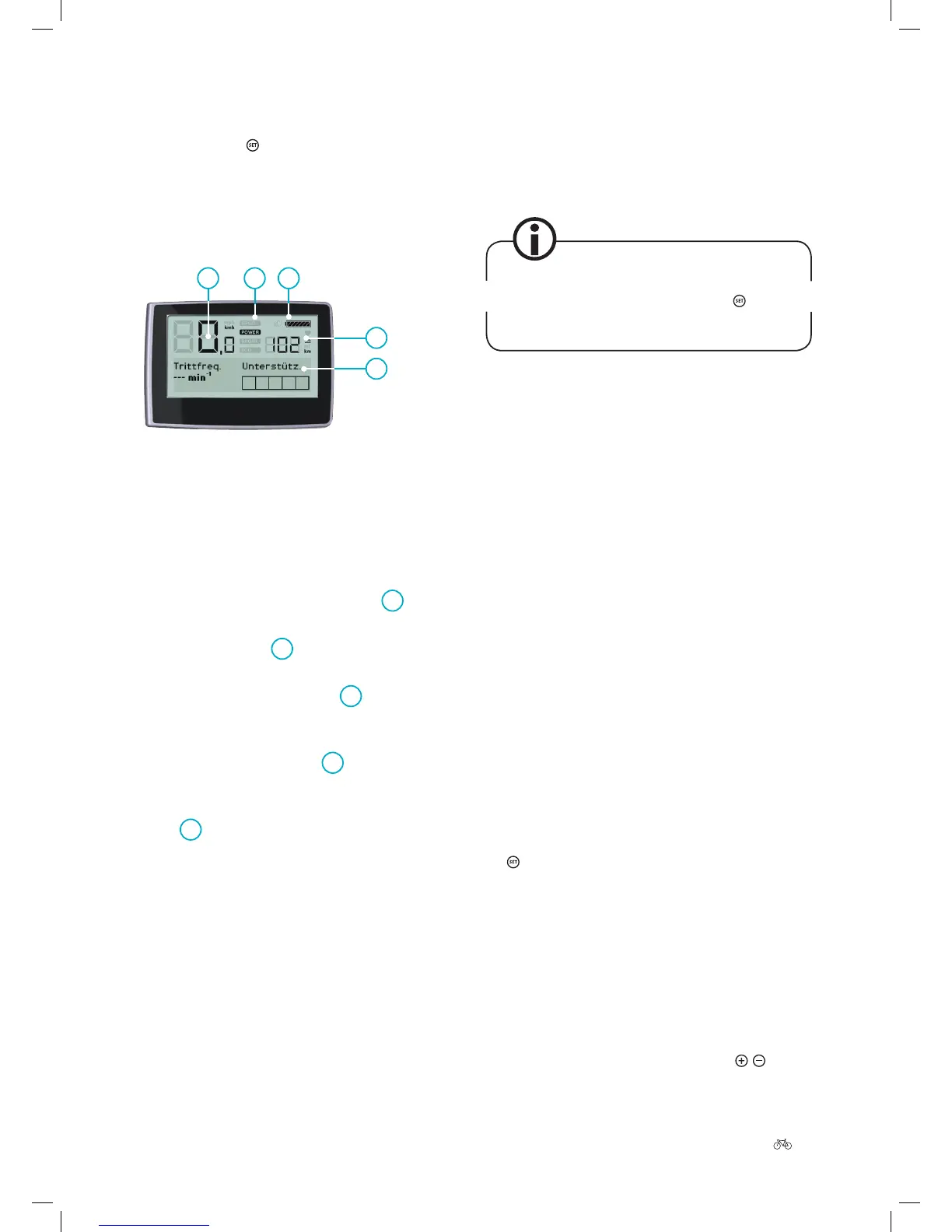
1 Speed
2 Power-assist mode
3 Battery charge state
4 Remaining range
5 Information area
1
5
4
2
3
The display in the middle of the handlebar is divided into
ve dierent display panels.
• At the top on the le is your current
1
speed.
• To the right of the current speed is a display show-
ing the selected
2
power-assist mode
➠ Chapter 7.2.1.
• At the top on the right is the
3
battery symbol
which tells you the current battery charge state of
your Pedelec ➠ Chapter 7.2.2.
• Below this the remaining
4
range is displayed
➠ Chapter 7.3.3.
• Along the bottom section of the display is a long
5
information area that can be used to display
the following information:
• How much of its potential output the motor is
currently delivering.
• The costs that have been incurred in the course
of the current trip and during the entire service
life.
• The savings achieved in both euros and CO in
comparison with the same journey by car.
• The total number of kilometres / miles covered.
• The display of kilometres / miles covered dur-
ing the day and overall.











 To Next Page