Dermalux Triwave User Guide 2015
Operating Information
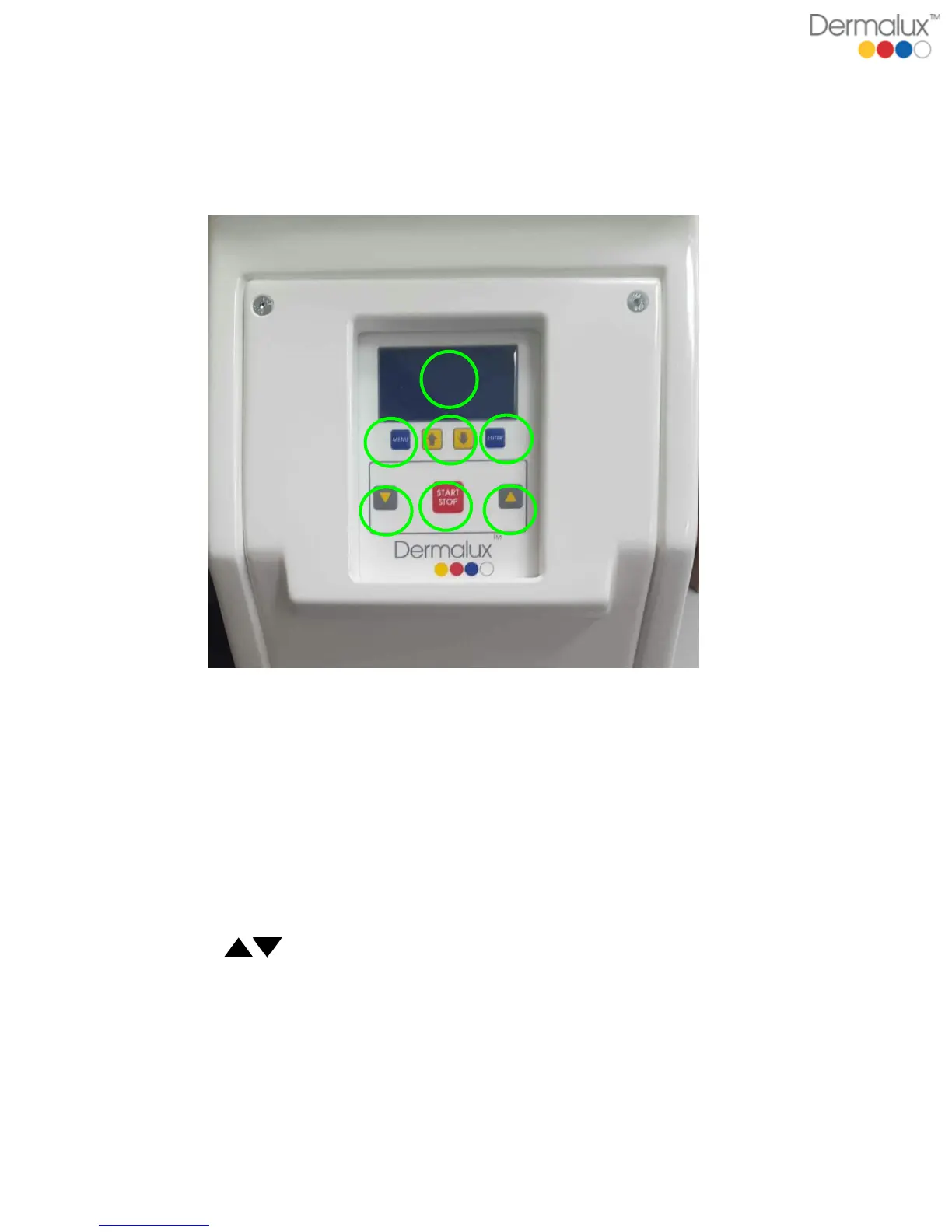
Controls
The control panel contains a programmable timer and LCD display and allows the
operator to control the position of the treatment head.
1. DISPLAY shows current information in programme and treatment modes
2. MENU pages through menu screen, used to confirm display prompts
3. UP & DOWN ARROW scrolls though the menu or allows you to toggle between
settings in the Manual Mode
4. ENTER confirms the screen prompt
5. LIFT adjusts the position of the LED treatment head up and down by
moving the Lift arm up or down. Press the button up to raise the LED treatment
head or down to lower the LED treatment head.
6. START/STOP activates or stops a treatment.



 To Next Page