Firmware Upgrade
Please note:
Don’t turn off the power or take
out the U-Disk during the period of the upgrade.
USB connection
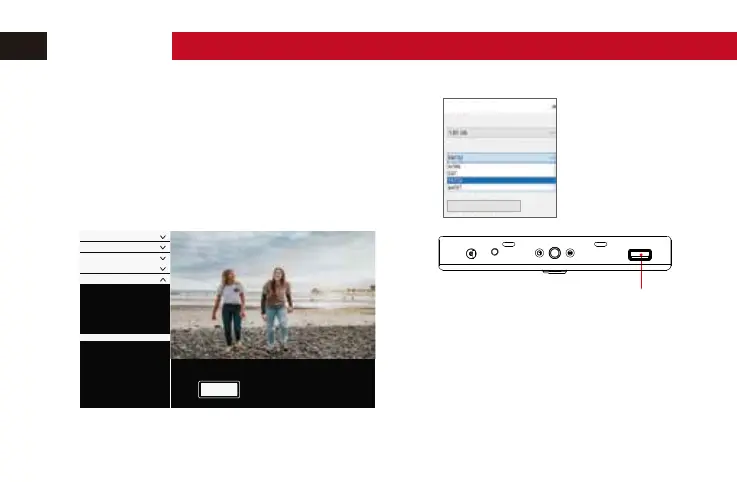
1. Format the USB-Stick as "FAT32 format" with a computer.
2. Copy the downloaded upgrade file into the USB-Stick.
3. Plug the usb disk into the monitor's usb port.
4. Find the “Update” in“System Config” menu, then click “OK”.
.
5. The monitor will turn on automatic when the update is finished.
formatting EOS DIGITAL (L:)
capacity(P):
The file system(F)
Restore device defaults (D)
(default)
Menu Config
Color
Color Temperature
Sound
Battery Notification
Statu s
OK
Update(USB)
Exposure Assist
Focus&Composit ion
LUT Config
Display Setting
System Config
OPERATION


 To Next Page