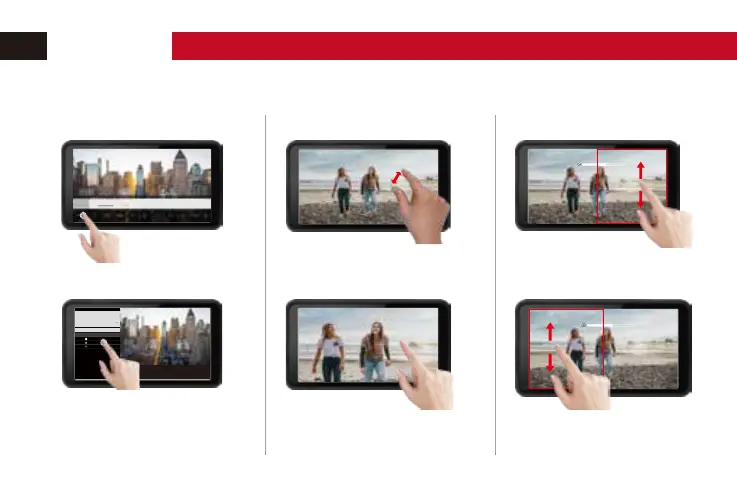
Touchscreen
1. Navigation 2. Zoom
Move two fingers together or apart on
the screen to zoom.
Tap on the "MENU" to call up the
menu interface.
Tap on the screen to call up the
quick UI menu.
Drag the contents of the screen with
one finger to display the desired area.
3. Volume and Brightness
On the right area of the screen,
swipe up to increase the volume;
swipe down to volume down.
On the right area of the screen, swipe up to
increase the backlight brightness. Swipe down
to decrease the backlight brightness.
Exposure Assist
>
Focus&Composition
>
LUT Config
>
Display Setting
>
System Confi g
>
Shortcu t
Ianguage
Backlight
Reset
False Color
SPECTRUM ARRI
OPERATION


 To Next Page