8
D7X
1.2 Accessory
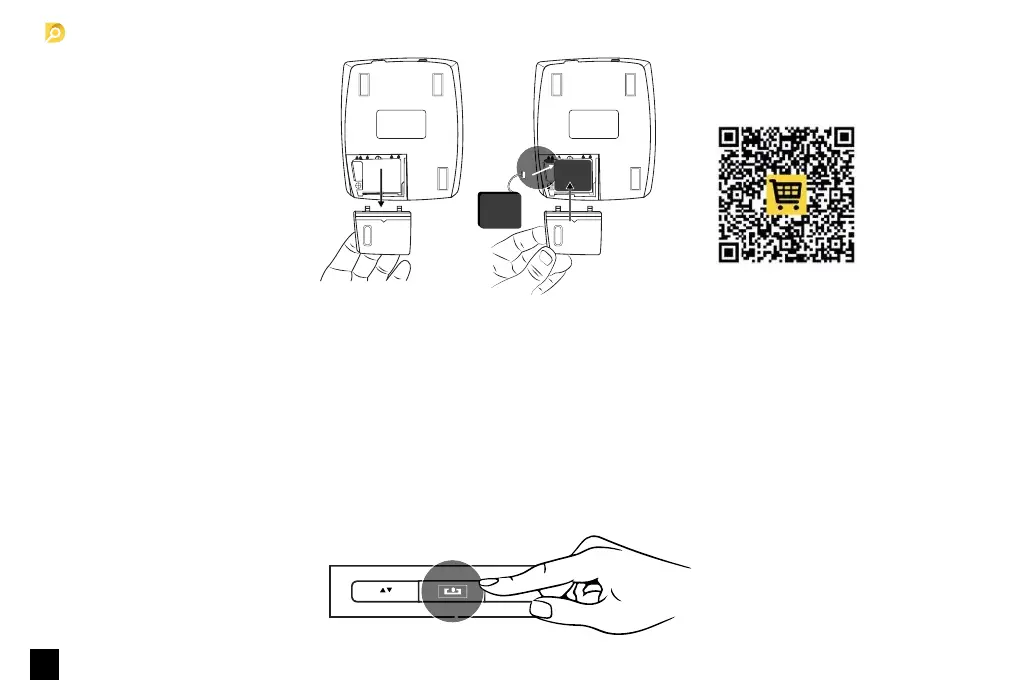
Optional rechargeable battery.
MODE
2. Product operation
2.1 Turning the machine on and off
■ Connect the power adapter to a 110V or 220V outlet, then connect to the machine. NOTE: Insert lithium battery (OPTIONAL).
■ Once connected, press the power switch button to turn on the machine.
□ The indicator light will light up and machine will run a self test.
□ If the test is successful, display will show the software version and currency interface.
■ Hold the power switch button for about 2 seconds to turn off machine. when the indicator lights off, it means the machine has been
successfully turned off.



 To Next Page