Key lock function: Keeping Press TIMER button on top panel for 3s, the heater will be
locked and can’t be operated anymore, and the lock symbol will light on; Keeping press
TIMER button again for 3s to release the children lock.
(d) Setting room temperature .Temperature setting from 15-35℃, the default setting
temperature is 30℃.Press TEMP button to set the desired temperature, in this smart
mode, the “TEMP” and “Mode” button will lights on, and the heater will now cycle on and
off to maintain the set temperature automatically.
MOOD LIGHTS: there are three moods lights at top control cover, Blue color for Fan
Mode, Purple color for Low power heat, Red Color for High power heat and ECO mode,
you can turn-off the moods lights by remote control.
(e) ECO mode: the red color mood lights will go into breathing mode, and ECO symbol
will light on. The heater will heating in cycle High Heat-Low Heat to maintain the room
temperature around 24C. The heater will cut-off automatically if there is no further
operation within 24 hours continuous working.
(f) Swing : Press OSC button to activate swing. Press it again to cancel.
(g) Press to turn off the heater, The heater will continue to work in
FAN mode for 15 seconds, allowing the product to cool.
* Keeping press for 3s to turn off the LED display, press any button to light
on again.
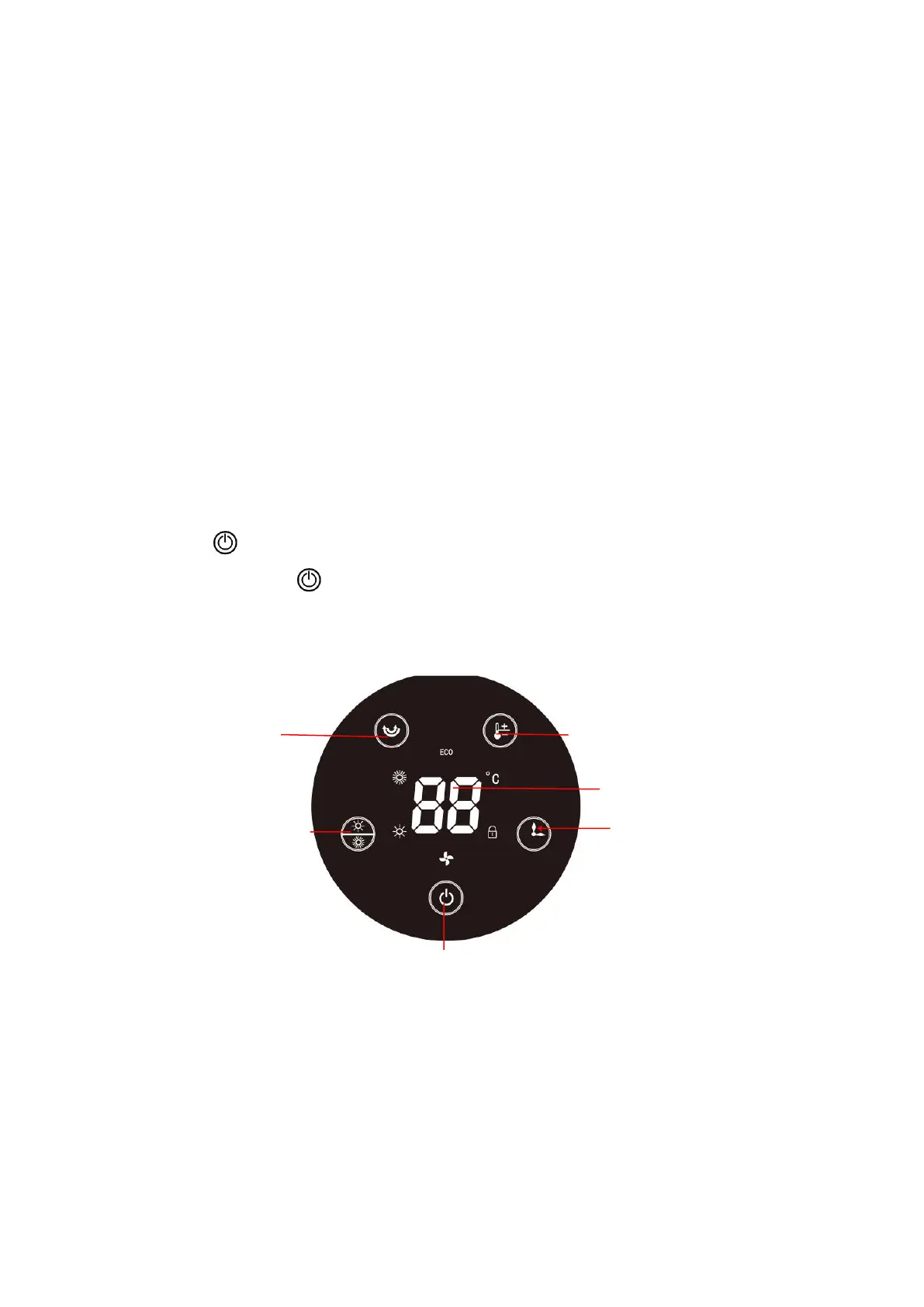
Touch Control Panel
Oscillation button Temperature setting button
LED display
Power settings button Timer setting button
Power ON/OFF button
(keep pressing 3s to turn-off LED lights)


 To Next Page