Need help?
Do you have a question about the devention TALI H500 and is the answer not in the manual?
Prepare GoPro camera and connect video cable to 5.8G emitter in advance.
Unscrew M2x4 screws and loosen the camera fixed frame.
Fix camera into gimbal with frame, ensuring gap close to lens.
Take off the gimbal balance accessory.
Install the 5.8G emitter to the copter bottom with double side tape.
Insert emitter power cable into copter power output port (DC 12V).
Connect GoPro video cable to the image signal cable of the emitter.
Camera and emitter installation finished, ensure camera cable is free.
Prepare GoPro camera and connect video cable to 5.8G emitter in advance.
Unscrew M2x4 screws and loosen the camera fixed frame.
Fix camera into gimbal with frame, ensuring gap close to lens.
Take off the gimbal balance accessory.
Install the 5.8G emitter to the copter bottom with double side tape.
Insert emitter power cable into copter power output port (DC 12V).
Insert GoPro video cable into the AV input port of the emitter.
Camera and emitter installation finished, ensure camera cable is free.
 General
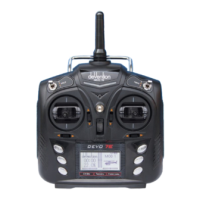
| Transmitter | Devo F12E |
|---|---|
| GPS | Yes |
| Gimbal | 3-axis |
| Material | Plastic |
| Color | White |
| Flight Time | 25 min |
| Battery | 6S Lipo |
| Compatibility | GoPro |
| Weight | 2.5 kg |


 To Next Page