English
Just like your computer or cellular phone, your Devialet is controlled by internal software. This software
enables you to update and configure your Devialet, and in particular, to:
· activate SAM® technology to adapt your Devialet’s output signal to your speakers;
· activate, disable and configure your Devialet’s inputs and outputs (pre-out, Wi-Fi);
· activate, disable and configure the main features, including the safety settings (power, standby mode, etc.).
To configure your Devialet, you will need a computer connected to the Internet and the SD card provided.
CONFIGURATOR AND SD CARD
The configurator is the online tool on devialet.com that enables you to configure your Devialet.
This configurator create a file that is saved on the SD card.
The SD card enables you to transfer your configuration file – downloaded from the configurator – from your
computer to your Devialet.
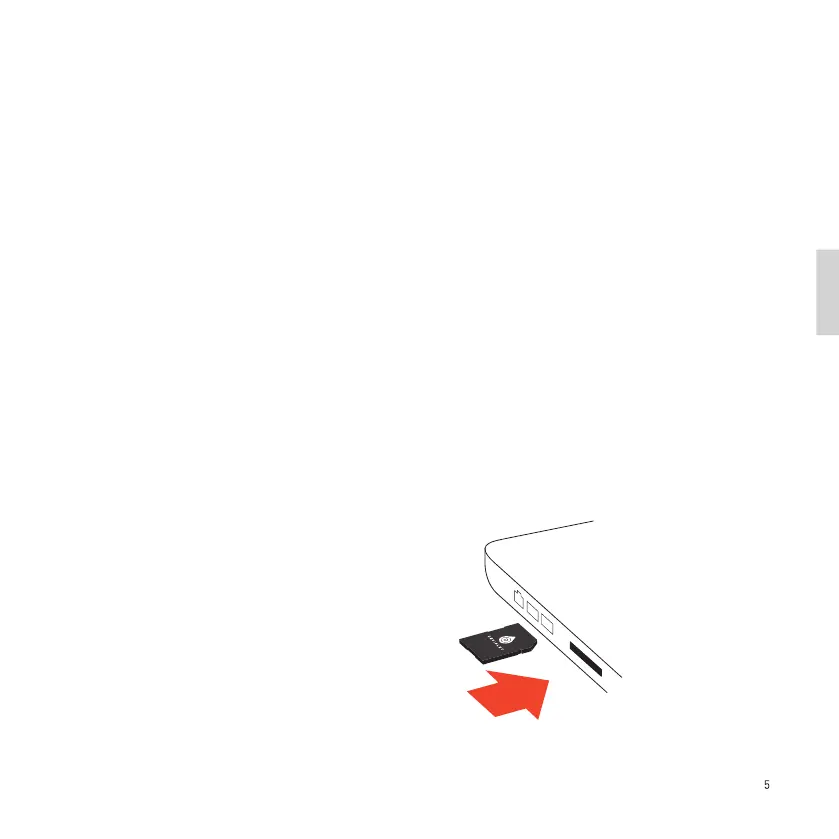
After you have registered your Devialet (see page 4), insert the SD card in your computer SD card reader,
go to the configurator on devialet.com, and follow the instructions.
Please note that all of your configurations may be named and are saved on your personal space on devialet.com.
Please note: Your Devialet already has a default configuration:
for a quick start, go directly to page 9 (First use).
3 FIRST CONFIGURATION


 To Next Page