5
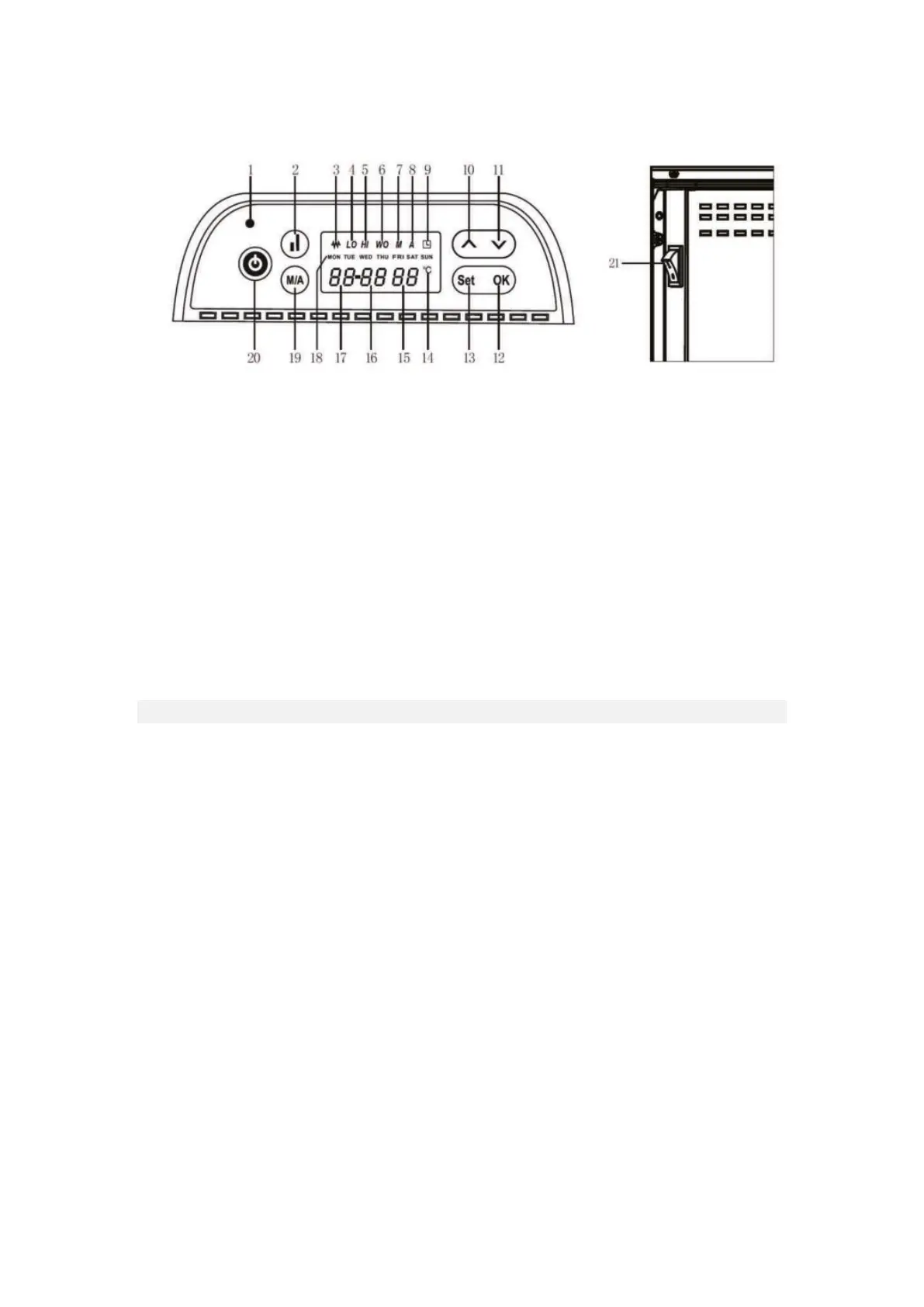
Fig.2 Control Panel
OPERATION
Getting Started
• Carefully remove the heater from the box and keep the carton for off-season storage.
• Ensure the power switch (21) is turned off before plugging the unit in.
• Make sure the heater is safely installed in accordance with the installation instructions.
• It is best to avoid using the heater in an outlet that is already being used for other high-
power electrical equipment, to avoid overloading the circuit.
Power On
• When the product is connected to the power supply, the power indicator (1) will illuminate.
• Press the power button (20) to switch the unit on.
The display shows the following settings:
The day indicator (18) shows the day of the week (default is MON = Monday). The hour display
(17), the minute display (16) of the time and the temperature display (15) in degrees Celsius
(35℃ is the default). You will need to set the correct time, and this will then be stored in the
heater. Auto mode (A) is enabled as the default.
Note: If the device suddenly goes out during operation the system wakes up again and
continues working according to the last operating settings before the power loss.
1. Power Indicator
2. Select Full/Half Capacity Heat Mode
3. Heating Indicator
4. Half Power Indicator (LO)
5. Full Power Indicator (HI)
6. Open Window Detection (WO)
7. Manual Mode (M)
8. Auto Mode (A)
9. Timer Indicator
10. Upward Adjustment Button
11. Downward Adjustment Button



 To Next Page