Connection and startup
|
|
devolo dLAN Highspeed Ethernet
|
8
2 Connection and startup
This chapter covers the connectors and display elements of your dLAN HS Eth-
ernet and explains how to connect the device.
2.1 System requirements
Your computer must meet the following requirements to operate with your dLAN
HS Ethernet:
Operating systems: Windows 98, Windows Me, Windows 2000, Win-
dows XP, Linux, Mac OS X or any other operating system with network sup-
port
Ethernet connection
Please note that your computer or other device must feature a network adapter
with an Ethernet port.
2.2 Connection and display elements
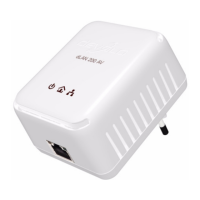
The dLAN HS Ethernet adapter has six indicator lights (LEDs) and an Ethernet
port:
ETH
100/Act: Is lit whenever an Ethernet connection exists; flashes to signal
100 Mbps data rate.













 To Next Page