EasyManua.ls Logo

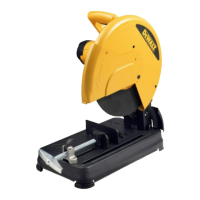
DeWalt D28700 - User Manual

DeWalt D28700
34 pages
Print Icon
To Next Page IconTo Next Page
Loading...
1
D28700

Other manuals for DeWalt D28700

Questions and Answers

  • M
    mmoyerJul 26, 2025
    How to unlock the arm of my DeWalt D28700?
    • H
      Heather EverettJul 26, 2025
      If you cannot move the arm of your DeWalt Saw, it is possible that the lock-down pin is engaged. Push down slightly on the arm, pull down the lock-down pin, and then raise the arm.
  • A
    andersonlindaJul 30, 2025
    How to troubleshoot a DeWalt D28700 that will not start?
    • D
      Dawn FergusonJul 30, 2025
      If your DeWalt Saw won't start, there are several potential causes: * It might not be properly plugged in. Ensure the saw is plugged securely into a working outlet. * A fuse may be blown or a circuit breaker tripped. Replace the fuse or reset the circuit breaker. * The cord could be damaged. In this case, have the cord replaced by an authorized service center. * The brushes might be worn out. Consider replacing the brushes.
  • D
    David WilliamsAug 4, 2025
    Why my DeWalt D28700 Saw does not make accurate cuts?
    • J
      Jasmine ShawAug 4, 2025
      If your DeWalt Saw isn't making accurate cuts, consider these potential causes: * The fence may not be adjusted correctly. Check and adjust the fence. * The wheel might not be square to the fence. Check and adjust the wheel to ensure it's square. * You might be using excessive force. Reduce the cutting force and let the wheel do the work. * The workpiece may be moving. Clamp the workpiece securely and ensure it's flat against the base.
  • L
    Lucas CrossAug 8, 2025
    What to do if my DeWalt D28700 makes unsatisfactory cuts?
    • A
      Adam WarrenAug 8, 2025
      If your DeWalt Saw makes unsatisfactory cuts, it could be due to a glazed wheel. You should dress the wheel or replace it with a new one. Another cause might be that the workpiece is incorrectly placed or clamped. Make sure to firmly clamp and support the workpiece.
  • B
    Beth GarciaAug 12, 2025
    Why does the material move during cut with my DeWalt D28700 Saw?
    • R
      Rebecca SmithAug 12, 2025
      If the material moves during cutting with your DeWalt Saw, it could be due to several reasons: * The fence might be slipping, or the workpiece may be incorrectly placed or clamped. * The vise might be too loose. Tighten the vise clamping. * You might be applying excessive cutting force. Reduce the cutting force applied to the material.
  • A
    Angela Robinson DVMAug 16, 2025
    How to fix excessive vibration during cut with DeWalt Saw?
    • M
      Matthew NguyenAug 16, 2025
      Excessive vibration during cutting with your DeWalt Saw can occur if: * The tool is not securely mounted to the stand or workbench. Tighten all mounting hardware. * The wheel is damaged. Replace the wheel. * The workpiece is not clamped properly.
  • T
    Taylor AndradeAug 20, 2025
    Why DeWalt D28700 Saw blade does not come up to speed?
    • R
      Robin HooperAug 21, 2025
      If the blade of your DeWalt Saw does not come up to speed, it could be due to: * Using an extension cord that is too light or too long. Replace it with an adequate size cord. * Experiencing low voltage. Contact your electric company. * Low generator voltage. Check the generator output voltage and reduce the number of tools powered by the generator.

Summary

Technical Data

EC-Declaration of Conformity

Details DEWALT's compliance with EU directives and standards.

Safety Instructions

General Safety Precautions

Covers work area, personal protection, electric shock prevention, and operator alertness.

Operational Safety Checks

Details checks for damaged parts, cord safety, and proper tool usage.

Chopsaw Specific Safety

Details additional safety measures specific to chopsaw operation, disc handling, and material cutting.

Residual Risks

Package Contents

Product Description

Connecting to the Mains

Voltage Drops

Explains potential voltage drops caused by inrush currents and system impedance.

Assembly and Adjustment

Bench Mounting

Instructions for securing the tool to a workbench using mounting holes.

Cutting Disc Installation

Step-by-step guide for removing and fitting the cutting disc, including safety checks.

Cutting Depth Adjustment

Procedure for adjusting the cutting depth to account for disc wear.

Workpiece Clamping

Methods for securely clamping workpieces for cutting, including quick travel feature.

Clamping Position Setting

How to adjust the clamp position to match the cutting disc.

Instructions for Use

Pre-Operation Checks

Ensures the tool is ready for use, including disc installation and workpiece security.

Cutting and Operation

Details on adjusting angles, performing cuts, and switching the tool on/off.

Spark Deflector Adjustment

Instructions for setting the spark deflector for safe operation.

Transporting the Tool

Maintenance

Lubrication and Cleaning

Details on keeping the tool clean and notes on lubrication requirements.

Environmental Protection

Information on proper disposal and recycling of the product.

DeWalt D28700 Specifications

General IconGeneral
BrandDeWalt
ModelD28700
CategorySaw
LanguageEnglish

Related product manuals