19
ENGLISH
Mowing Tips (Fig.A)
WARNING: ALWAYS INSPECT AREA WHERE
MOWER IS TO BE USED AND REMOVE ALL STONES,
STICKS, WIRE, BONES, AND OTHER DEBRIS WHICH
MIGHT BE THROWN BY THE ROTATINGBLADE.
WARNING: Mow across the face of slopes, never
up‑and‑down. Exercise extreme caution when
changing direction on slopes. Do not mow excessively
steep slopes (greater than 15 degrees). Always
maintain goodfooting.
• Release bail handle
8
to turn mower “OFF” when
crossing any gravel area (stones can be thrown by
theblades).
• Set mower at highest cutting height when mowing in
rough ground or in tall weeds. Removing too much grass
at one time can cause the motor to be overloaded and
tostop.
Mower Overload
To prevent damage due to overload conditions, do not try to
remove too much grass at one time. Slow down your cutting
pace, or raise the cutheight.
DCMWSP650 ONLY
Self Drive System (Fig.V)
DANGER: Sharp moving blade. Never attempt to
override the operation of the switch box, the self
drive system or the safety key system as serious
injury couldresult.
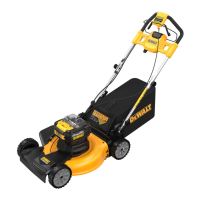
Your mower DCMWSP650 is equipped with a self drive system
which functions independently of the mower blades.
1. To use self drive, press the self drive lever
9
towards the
main handle
4
.
2. To turn off self drive, release the self drive lever
9
.
NOTE: During cutting, at times it may be easier to
maneuver around an object, such as a tree or plants, with
the self drive off. The mower can easily be used with the
selfdrivesystemoff.
DCMWSP650 ONLY
Speed Adjustment Dial (Fig.W)
Your DCMWSP650 mower is equipped with a speed
adjustment dial
10
located next to the LED dashboard
12
.
The numbers on the speed adjustment dial
10
indicate how
quickly or slowly the self drive system propels themower.
Choosing a lower number propels themower at a slower
pace. Choosing a higher number propels themower at a
faster pace.
1. To increase the speed of the self drive system, rotate the
speed adjustment dial
10
towards the rabbit icon
40
.
NOTE: The speed adjustment dial
10
will display a
higher number.
2. To decrease the speed of the self drive system, rotate the
speed adjustment dial
10
towards the turtle icon
41
.
NOTE: The speed adjustment dial
10
will display a
lowernumber.
Starting Mower (Fig.Q—T)
DANGER: Sharp moving blade. Never attempt
to override the operation of the switch box and
safety key system as serious injury couldresult.
WARNING: Ensure self drive is disengaged before
starting the mower.
NOTE: Mower is operational when the battery pack
26
and
safety key
6
areinstalled.
1. Lift and hold the battery port cover
19
up to expose the
battery port
38
.
2. Slide a battery pack
26
into the battery port
38
until an
audible click is heard.
NOTE: Ensure the battery pack is fully seated and fully
latched intoposition before startingmower.
3. Close the battery port cover
19
. Ensure the battery port
cover
19
is fully closed before starting themower.
4. Insert safety key
6
into the key slot
50
, located on
the main handle
4
, until it is fully seated inside of the
keyslot
50
as shown in Fig. T.
5. To power on the LED dashboard
12
, pull and hold the
bail handle
8
to the main handle
4
.
6. To start the mower blades, continue to hold the bail
handle
8
to the main handle
4
and then press the
power button
11
.
NOTE: Once the mower starts you can release the
power button
11
, but you must continue to hold the
bail handle
8
to themain handle
4
for the mower
tostay running.
7. To turn the mower OFF, release the bailhandle
8
.
WARNING: Never attempt to lock a switch or bail
handle in the ONposition.
NOTE: Once the bail handle
8
has returned to the original
position it will activate the “Automatic Braking Mechanism.”
The motor is braked and the mower blades will stop rotating
in three seconds orless. If mower blades rotate longer than
three seconds, discontinue using mower and have itserviced.
Blade Reset Button (Fig.U)
NOTE: Ensure the battery pack
26
and safety key
6
areinstalled before attempting to reset.
To clear the blade sharpening indicator
16
, power on
the LED dashboard
12
by pulling and holding the
bail handle
8
to the main handle
4
. Press and hold
the blade resetbutton
17
until the blade sharpening
indicator
16
turns off
.


 To Next Page