EasyManua.ls Logo

DeWalt DCST920P1 - User Manual

DeWalt DCST920P1
14 pages
Print Icon
To Next Page IconTo Next Page
Loading...
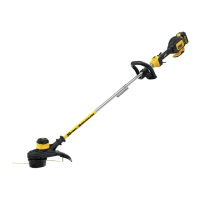
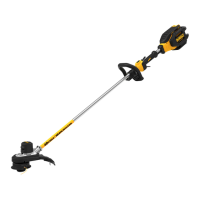
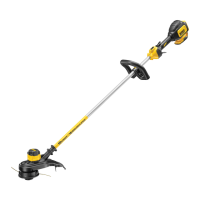
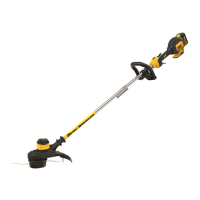
DCST920 20V Max* Lithium String Trimmer
INSTRUCTION MANUAL

Questions and Answers

Summary

Safety Guidelines and Warnings

Definitions of Safety Signals

Explains signal words like DANGER, WARNING, CAUTION, NOTICE for hazard severity.

Key Safety Information

Important notes on guard usage, line type, and battery compatibility for safe operation.

Read All Instructions

Comprehensive safety instructions covering eye protection, dress code, and bystander safety.

Battery Safety and Handling

Lithium Ion Battery Specific Safety

Specific safety instructions for Li-Ion batteries, including handling and disposal precautions.

Battery Recycling Program

Information on the RBRC program for environmentally conscious battery recycling.

Charger Safety and Operation

Battery Charger Safety Instructions

Essential safety guidelines for using DEWALT battery chargers to prevent hazards.

Charging Procedure and Indicators

Steps for charging battery packs and understanding indicator light signals.

Important Charging Notes

Key advice for optimal battery charging, including temperature and troubleshooting tips.

Product Setup and Usage

Storage Recommendations

Guidelines for storing the trimmer and battery packs in optimal conditions.

Components and Intended Use

Identifies product components and specifies the intended use of the string trimmer.

Adjustments and Assembly

Instructions for adjusting the auxiliary handle for balance and safety during adjustments.

Trimmer Operation

Switching Trimmer On and Off

How to safely turn the string trimmer on and off using the lock-off lever and trigger.

Speed Control Switch

Explains how to use the speed control switch for extending runtime or increasing cutting performance.

Installing and Removing Battery Pack

Step-by-step guide for securely installing and removing the battery pack.

Fuel Gauge Battery Packs

Information on how to check the battery charge level using the fuel gauge feature.

Trimming Techniques and Line Feed

Trimming Operation

Proper technique for angling and swinging the trimmer for effective cutting.

Bump Feed Trimmer Line Feed

How to feed new cutting line by bumping the trimmer on the ground.

Helpful Cutting Tips

Advice for efficient cutting, including string usage and avoiding obstacles.

Accessories and Line Replacement

Replacement Accessories

Information on recommended accessories and warnings about using unapproved ones.

Replacing the Cutting Line

Detailed instructions for removing the old line and winding new line onto the spool.

Maintenance and Cleaning

General Maintenance

Routine maintenance tasks for keeping the trimmer in good condition, like cleaning air vents.

Cleaning Instructions

Guidance on cleaning the trimmer using mild soap and water, avoiding harsh chemicals.

Charger Cleaning

How to safely clean the battery charger, emphasizing disconnecting power.

Replacing Spool Housing

Steps for removing and replacing the spool housing assembly.

Component Replacement and Repairs

Replacing the Guard

Instructions for safely removing and reattaching the trimmer guard.

Accessories Information

Guidance on obtaining recommended accessories and support contact information.

Product Repairs

Information on where to get the product serviced and the importance of using qualified personnel.

Troubleshooting

Unit Will Not Start

Solutions for the trimmer failing to start, covering battery and switch checks.

Unit Shuts Down or Runs Slowly

Addresses issues with the trimmer stopping during use or running slower than expected.

Battery Charging Issues

Troubleshooting steps for when the battery pack fails to charge properly.

Trimmer Vibration Issues

Explains how to resolve excessive vibration by checking line length and spool winding.

Summary

Safety Guidelines and Warnings

Definitions of Safety Signals

Explains signal words like DANGER, WARNING, CAUTION, NOTICE for hazard severity.

Key Safety Information

Important notes on guard usage, line type, and battery compatibility for safe operation.

Read All Instructions

Comprehensive safety instructions covering eye protection, dress code, and bystander safety.

Battery Safety and Handling

Lithium Ion Battery Specific Safety

Specific safety instructions for Li-Ion batteries, including handling and disposal precautions.

Battery Recycling Program

Information on the RBRC program for environmentally conscious battery recycling.

Charger Safety and Operation

Battery Charger Safety Instructions

Essential safety guidelines for using DEWALT battery chargers to prevent hazards.

Charging Procedure and Indicators

Steps for charging battery packs and understanding indicator light signals.

Important Charging Notes

Key advice for optimal battery charging, including temperature and troubleshooting tips.

Product Setup and Usage

Storage Recommendations

Guidelines for storing the trimmer and battery packs in optimal conditions.

Components and Intended Use

Identifies product components and specifies the intended use of the string trimmer.

Adjustments and Assembly

Instructions for adjusting the auxiliary handle for balance and safety during adjustments.

Trimmer Operation

Switching Trimmer On and Off

How to safely turn the string trimmer on and off using the lock-off lever and trigger.

Speed Control Switch

Explains how to use the speed control switch for extending runtime or increasing cutting performance.

Installing and Removing Battery Pack

Step-by-step guide for securely installing and removing the battery pack.

Fuel Gauge Battery Packs

Information on how to check the battery charge level using the fuel gauge feature.

Trimming Techniques and Line Feed

Trimming Operation

Proper technique for angling and swinging the trimmer for effective cutting.

Bump Feed Trimmer Line Feed

How to feed new cutting line by bumping the trimmer on the ground.

Helpful Cutting Tips

Advice for efficient cutting, including string usage and avoiding obstacles.

Accessories and Line Replacement

Replacement Accessories

Information on recommended accessories and warnings about using unapproved ones.

Replacing the Cutting Line

Detailed instructions for removing the old line and winding new line onto the spool.

Maintenance and Cleaning

General Maintenance

Routine maintenance tasks for keeping the trimmer in good condition, like cleaning air vents.

Cleaning Instructions

Guidance on cleaning the trimmer using mild soap and water, avoiding harsh chemicals.

Charger Cleaning

How to safely clean the battery charger, emphasizing disconnecting power.

Replacing Spool Housing

Steps for removing and replacing the spool housing assembly.

Component Replacement and Repairs

Replacing the Guard

Instructions for safely removing and reattaching the trimmer guard.

Accessories Information

Guidance on obtaining recommended accessories and support contact information.

Product Repairs

Information on where to get the product serviced and the importance of using qualified personnel.

Troubleshooting

Unit Will Not Start

Solutions for the trimmer failing to start, covering battery and switch checks.

Unit Shuts Down or Runs Slowly

Addresses issues with the trimmer stopping during use or running slower than expected.

Battery Charging Issues

Troubleshooting steps for when the battery pack fails to charge properly.

Trimmer Vibration Issues

Explains how to resolve excessive vibration by checking line length and spool winding.

Overview

This document is an instruction manual for the DEWALT DCST920 20V Max* Lithium String Trimmer.

Function Description:

The DEWALT DCST920 20V Max* Lithium String Trimmer is designed for professional trimming applications. It is intended for cutting grass and weeds using a rotating nylon line. The trimmer is not designed to be used as an edger.

Important Technical Specifications:

  • Power Source: 20V Max* Lithium battery.
  • Cutting Line Diameter: 0.080 inches (2.032 mm) nylon line (MODEL NO. DWO1DT801 OR DWO1DT802 are recommended).
  • Minimum Distance from Guard to Feet: 24 inches (610 mm) during operation.
  • Maximum Cut Height: Do not exceed 12 inches (304.8 mm) in long growth.
  • Battery Charging Temperature: Optimal range is 65 °F to 75 °F (18 °C to 24 °C). Do not charge below +40 °F (+4.5 °C) or above +105 °F (+40.5 °C).
  • Charger Input Voltage: Standard 120V household electrical power.
  • Extension Cord Requirements: An extension cord must have adequate wire size (AWG or American Wire Gauge) for safety. The smaller the gauge number, the heavier the cord. For 120V, up to 50 ft (15.2 m) requires 16 AWG, up to 100 ft (30.5 m) requires 16 AWG, and up to 150 ft (45.7 m) requires 14 AWG. For 240V, up to 100 ft (30.5 m) requires 16 AWG, up to 200 ft (61.0 m) requires 14 AWG, and up to 300 ft (91.4 m) requires 12 AWG.

Usage Features:

  • Safety Guidelines: The manual emphasizes the importance of reading all instructions and paying attention to signal words (DANGER, WARNING, CAUTION, NOTICE).
  • Eye Protection: Always wear safety spectacles or goggles when the battery is installed and during operation.
  • Proper Attire: Wear substantial rubber-soled footwear, heavy long pants, and protective hair covering. Avoid loose clothing or jewelry. Do not operate barefoot or in open sandals.
  • Guard: The guard must always be attached when trimming. Operating without the guard violates the product warranty and can cause personal injury.
  • Battery Installation/Removal: To install, insert the battery pack into the battery housing until fully seated and an audible click is heard. To remove, depress the battery release button and pull the battery pack out.
  • Fuel Gauge (for compatible battery packs): Three green LED lights indicate the remaining charge level. Press and hold the fuel gauge button to actuate.
  • Switching On/Off: Squeeze the lock-off lever (B) and then the variable speed trigger (A) to turn on. Release both to turn off. Never attempt to lock the trigger in the ON position.
  • Speed Control Switch: Offers two modes:
    • "LO" position (forward toward auxiliary handle): Extends runtime for larger jobs, more efficient speed.
    • "HI" position (back toward battery housing): Accelerates trimmer speed for high-performance cutting through heavier growth. Note that runtime will be decreased in "HI" mode.
  • Trimming Technique: Angle the trimmer and swing side to side, keeping the rotating string roughly parallel with the ground (tilted no more than 30 degrees). Maintain a minimum distance of 24 inches (610 mm) between the guard and your feet.
  • Bump Feed Trimmer Line Feed: To feed more line, gently bump the trimmer on the ground while running at normal speed.
  • Cutting Tips: Use the tip of the string for cutting. Avoid forcing the string head into uncut grass. Be aware that wire, picket fences, stone, brick walls, curbs, and wood can cause rapid string wear or breakage. Avoid trees and shrubs as string can damage bark, wood moldings, siding, and fence posts.
  • Environmental Conditions: Do not use in damp or wet locations, in the rain, or in gaseous or explosive atmospheres.
  • Bystander Safety: Keep all bystanders and pets at least 100 feet (30 m) away from the work area.
  • Rebound Risk: Work away from solid objects (walls, steps, stones, trees) to reduce the risk of ricochet injury.
  • Pre-Trimming Inspection: Inspect the area to be trimmed and remove any wire, cord, or string-like objects that could become entangled in the rotating line or spool. Be particularly careful to avoid wire that might be bent outwardly into the path of the appliance, such as barbs at the base of a chain link fence.

Maintenance Features:

  • General Maintenance:
    • Keep handles dry, clean, and free from oil and grease.
    • Do not immerse the appliance in water or squirt it with a hose.
    • Do not store the appliance on or adjacent to fertilizers or chemicals.
    • Do not clean with a pressure washer.
  • Cleaning:
    • Air Vents: Blow dirt and dust out of all air vents with clean, dry air at least once a week. Always wear ANSI Z87.1 approved eye protection when performing this.
    • Non-Metallic Parts: Clean with a cloth dampened only with water and mild soap. Never use solvents or harsh chemicals as they can weaken plastic materials.
    • Charger: Disconnect from the AC outlet before cleaning. Remove dirt and grease from the exterior with a cloth or soft non-metallic brush. Do not use water or cleaning solutions.
  • Line Cutter: The line cutter on the edge of the guard can dull over time. Periodically touch up its sharpness with a file.
  • Trimmer Line Storage: To keep spare trimmer line in top condition, store it in a plastic, sealable bag with a tablespoon of water to prevent it from drying out.
  • Replacing Cutting Line:
    1. Remove the battery.
    2. Turn the spool clockwise to unlock (white nub rotates away from spool window).
    3. Pull the spool straight out.
    4. Remove dirt/grass from spool and housing.
    5. Wind new line in the channel closest to the holding slots.
    6. Place the end of the cutting line into the retaining hole.
    7. Wind the cutting line onto the spool in the direction of the arrow on the bottom, neatly and in layers (do not crisscross).
    8. When the wound line reaches the beginning of the holding slots, cut it approximately 4 inches (106 mm) long.
    9. Push the line in the holding slots on one side to hold the first line while winding the second.
    10. Repeat for the second cutting line on the lower section of the spool.
    11. Secure both lines in the holding slots and feed the ends through the two holes on either side of the head in the spool housing.
    12. Line up the white nubs inside the spool housing with the recesses of the spool. Align holding slots with the two holes.
    13. Push the spool into the housing and turn counterclockwise to lock it in place. Ensure the white nub appears in the spool window.
    14. Pull both ends of the cutting line to release them from the holding slots. Cut the line so it just reaches the trimming blade.
  • Replacing Spool Housing:
    1. Rotate the spool housing until the hole in the spindle lines up with the notch in the guard.
    2. Turn the spool housing clockwise.
    3. Insert a screwdriver through the three holes and thread the new spool housing counterclockwise, tightening it onto the bolt.
  • Replacing Guard:
    1. Remove the spool housing.
    2. Remove the 4 guard screws.
    3. Lift the guard off at an angle.
    4. To attach a new guard, slide the tab of the new guard under the lip of the motor housing, then lower the back of the guard into place.
    5. Replace and securely tighten the 4 guard screws.
    6. Replace the spool housing.
  • Damaged Parts: Before further use, check any damaged guard or part to ensure it will operate properly. Have damaged parts repaired or replaced by an authorized service center.
  • Battery Pack Storage: Store fully charged battery packs in a cool, dry place, away from direct sunlight, excess heat, or cold for optimal results. Do not store completely depleted battery packs.
  • Repairs: The charger and battery pack are not serviceable. Repairs, maintenance, and adjustments should be performed by a DEWALT factory service center or authorized service center using identical replacement parts.
  • Troubleshooting: The manual provides a troubleshooting guide for common issues like the unit not starting, shutting down, battery not charging, appliance running slowly, or vibrating.

DeWalt DCST920P1 Specifications

General IconGeneral
BrandDeWalt
ModelDCST920P1
CategoryTrimmer
LanguageEnglish

Related product manuals