EasyManua.ls Logo

DeWalt DCST990 - User Manual

DeWalt DCST990
56 pages
Print Icon
To Next Page IconTo Next Page
Loading...
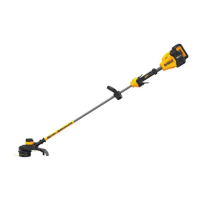
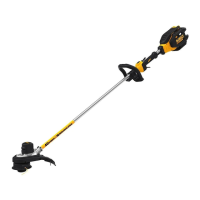
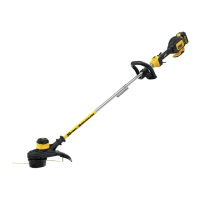
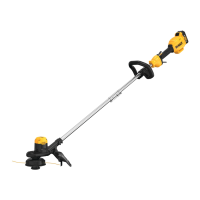
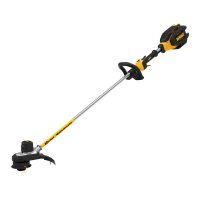
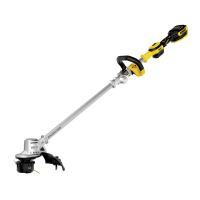
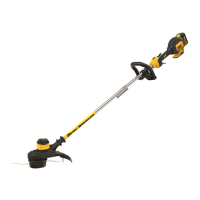
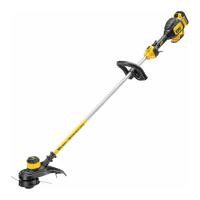
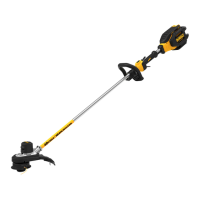
DCST990, DCST990B 40V Max* Lithium Brushless String Trimmer
Taille-bordure sans balaisDCST990, DCST990B au lithium-ion de 40V max.*
Podadora de cuerda sin escobillas y con batería de iones de litio de 40V Máx* DCST990, DCST990B
INSTRUCTION MANUAL
GUIDE D'UTILISATION
MANUAL DE INSTRUCCIONES
INSTRUCTIVO DE OPERACIÓN, CENTROS DE SERVICIO Y PÓLIZA DE
GARANTÍA. ADVERTENCIA: LÉASE ESTE INSTRUCTIVO ANTES DE
USAR EL PRODUCTO.
If you have questions or comments, contact us.
Pour toute question ou tout commentaire, nous contacter.
Si tiene dudas o comentarios, contáctenos.
1-800-4-DeWALT • www.dewalt.com

Questions and Answers

  • U
    utoddAug 17, 2025
    How to fix DeWalt DCST990 that will not start?
    • J
      jennifercarterAug 17, 2025
      If your DeWalt Trimmer won't start, there are a few things you can check. First, make sure the battery is correctly installed. Next, verify the battery meets the necessary charging requirements. Finally, ensure that the lock-off is fully pulled back before you engage the main trigger.
  • D
    Dr. Tiffany MccoyAug 19, 2025
    How to fix a DeWalt Trimmer that will not start?
    • F
      farrellangelaAug 20, 2025
      If your DeWalt Trimmer won't start, try the following: * First, check that the battery is correctly installed. * Ensure the battery meets the charging requirements. * Make sure that you fully pull back the lock off before you move the main trigger.
  • J
    Janet MorganAug 22, 2025
    What to do if my DeWalt DCST990 shuts down while using it?
    • A
      Amanda KennedyAug 22, 2025
      If your DeWalt Trimmer shuts down during use, try the following: Ensure the battery is fully charged. Clear any debris that may be around the spool. Reduce the cutting width to a maximum of 15 inches. Also, if you removed the guard, reinstall it.
  • S
    Shannon LiAug 26, 2025
    What to do if my DeWalt Trimmer battery won’t charge?
    • T
      Tanner WellsAug 26, 2025
      If the battery for your DeWalt Trimmer won’t charge, try these steps: First, insert the battery into the charger until the red light comes on, and let it charge for up to 8 hours if completely drained. Ensure the charger is plugged into a working outlet, testing the outlet with another appliance if needed. Check if the outlet is connected to a light switch that might be turning off the power. Move the charger to an area where the air temperature is between 40 °F (4.5 °C) and 105 °F (40.5 °C).
  • J
    jamie96Aug 28, 2025
    Why is my DeWalt DCST990 vibrating?
    • R
      Rachel JohnsonAug 28, 2025
      If the DeWalt Trimmer is vibrating, ensure that both cutting lines are the same length. Also, check to see if the spool is wound properly. Replace it if the spool is broken.
  • C
    christopherparrishAug 30, 2025
    How to troubleshoot a DeWalt DCST990 that runs slowly?
    • S
      Suzanne BeckAug 30, 2025
      If your DeWalt Trimmer is running slowly, try these steps: First, fully depress the variable speed trigger, as the speed depends on how far you press it. If it still runs slowly, remove the battery. Inspect the spool housing to ensure it rotates freely, cleaning if necessary. Lastly, check that the cutting line does not extend more than approximately 4-13/16" (122 MM) from the spool; trim it if it does.
  • S
    snyderkimberlySep 2, 2025
    Why does my DeWalt Trimmer shut down while I'm using it?
    • F
      farrelllindaSep 3, 2025
      If your DeWalt Trimmer shuts down during use, several factors could be the reason. Try these solutions: fully charge the battery, clear any debris around the spool, limit the cutting swath to a maximum of 15 inches (381 mm), and ensure the guard is properly installed.
  • J
    Jerry ManningSep 5, 2025
    How to troubleshoot a DeWalt DCST990 that will not start?
    • J
      Jamie MooreSep 5, 2025
      If your DeWalt Trimmer won't start, there are several things you can check: Make sure the battery is correctly installed and has sufficient charge. Ensure the lock-off is fully pulled back before engaging the main trigger. For DCST960 models, the brushes may need replacement; refer to the section on Replacing Brushes in Motor.
  • M
    maryhollandSep 8, 2025
    Why is my DeWalt Trimmer vibrating so much?
    • M
      meganrichardsonSep 8, 2025
      Excessive vibration in your DeWalt Trimmer can be due to a couple of reasons. First, check that both cutting lines are the same length. Second, inspect the spool to ensure it's wound correctly; replace it if it's broken.
  • R
    Randy BrownSep 12, 2025
    What to do if DeWalt Trimmer runs slowly?
    • N
      npageSep 12, 2025
      If your DeWalt Trimmer is running slowly, try the following: Remove the battery from the appliance. Check that the spool housing can rotate freely, cleaning it carefully if necessary. Also, ensure that the cutting line does not protrude more than approximately 4-13/16" (122 mm) from the spool; if it does, cut it off so that it just reaches the line trimming blade. For DCST960 models, the brushes may need to be replaced; refer to the Replacing Brushes in Motor section.

Summary

Operation, Service Centers, and Warranty Policy

Definitions: Safety Guidelines

Important Safety Warnings

Key Information You Should Know

Highlights crucial safety points including guard usage and battery compatibility.

Read All Instructions

Comprehensive safety instructions for operating the appliance safely.

Symbol Definitions

Important Safety Instructions for All Battery Packs

Read All Instructions

Essential safety and operating instructions for battery packs.

Fire Hazard Warnings for Batteries

Specific warnings regarding fire hazards associated with battery packs.

Battery Transportation Regulations

Information on regulations for shipping DEWALT batteries.

Shipping by Air or Sea

Shipping by Ground

Lithium-Ion Battery Safety

Burn Hazard: Battery Liquid

Warning about battery liquid being flammable and potential burns.

Battery Charger Safety Instructions

Save These Instructions

Instruction to retain important safety and operating instructions for chargers.

Shock and Burn Hazard Warnings

Crucial warnings about electric shock, burn hazards, and charger care.

Charger Cavity Precautions

Notice about keeping foreign materials away from charger cavities.

Chargers

Charging Procedure

Step-by-step guide on how to charge the battery pack.

Indicator Light Operation & Charge Indicators

Explanation of LED indicators, charging status, and problem detection.

Hot;Cold Delay Feature

Explanation of the hot/cold delay feature for battery charging.

Leaving Battery Pack in Charger

Important Charging & Storage Notes

Charging and Storage Precautions

Key advice for charging, including shock/burn hazard warnings and storage.

Product Components Overview

Intended Use

Adjusting the Auxiliary Handle

Operating the String Trimmer

Eye Protection Requirement

Mandatory safety requirement to wear eye protection conforming to standards.

Battery Pack Installation and Removal

Safety Precautions Before Handling

Warnings and cautions regarding battery handling and area inspection.

Cutting Line Considerations

Caution on using the appropriate type of cutting line for the trimmer.

Fuel Gauge Battery Packs

Switching the Trimmer On and Off

Trigger Lock Warning

Warning against locking the trigger in the 'on' position.

Speed Control Switch

Extending Trimmer Runtime

Accelerating Trimmer Speed

Trimming Techniques

String Angle Warning

Warning against tilting the trimmer for edging; risk of flying debris.

Bump Feed Line Feed

Helpful Cutting Tips

Replacement Accessories

Accessory Usage Warning

Warning about potential hazards of using non-DEWALT recommended accessories.

Replacing the Cutting Line

Unauthorized Blade Warning

Warning against using unauthorized blades or accessories.

Cutting Line Adjustment Caution

Caution to trim excess cutting line to avoid appliance damage.

Maintenance

Pre-Maintenance Safety

Warning to turn off and remove battery before performing maintenance.

Cleaning the Trimmer

Air Vent Cleaning Warning

Warning to clean air vents with dry air and wear eye protection.

Cleaning Chemical Warning

Warning against using solvents or harsh chemicals for cleaning.

Charger Cleaning Instructions

Replacing Spool Housing

Replacing the Guard

Guard Installation Warning

Warning to never operate the appliance without the guard firmly in place.

Accessories

Accessory Usage Warning

Warning about potential hazards of using non-DEWALT recommended accessories.

Repairs and Service

Product Registration

Three Year Limited Warranty

One Year Free Service

DEWALT Battery Packs Warranty

90 Day Money Back Guarantee

Latin America Warranty Information

Free Warning Label Replacement

Troubleshooting Guide

Common Operational Issues

Solutions for unit not starting, shutting down, or running slowly.

Battery and Vibration Issues

Solutions for battery charging problems and trimmer vibration.

DeWalt DCST990 Specifications

General IconGeneral
Voltage60V
Power SourceBattery
Variable SpeedYes
Cutting Width15 in
Feed SystemBump Feed
Shaft TypeStraight

Related product manuals