ENGLISH
12
PRIOR TO OPERATION
• Make sure your battery pack is (fully) charged.
• Insert the appropriate bit.
• Mark the spot where the hole is to be drilled.
• Select forward or reverse rotation.
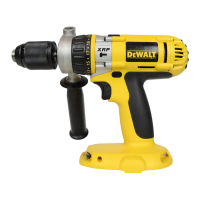
Switching ON and OFF (fi g. A, D)
• To run the tool, press the variable speed switch
(1).The pressure exerted on the variable speed
switch determines the tool speed.
• To stop the tool, release the switch.
• To lock the tool in OFF-position, move the
forward/reverse slider (2) to the central position.
WARNING: The drill is equipped with
a brake to stop the tool as soon as the
variable speed switch is fully released.
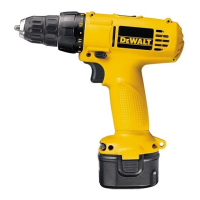
Screwdriving (fi g. A)
• Select forward or reverse rotation using the
slider (2).
• Set the collar (4) to position 1 and begin
screwdriving (low torque).
• If the clutch ratchets too soon, adjust the collar
to increase the torque as required.
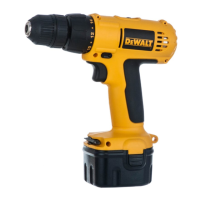
Drilling (fi g. A)
• Select the drilling mode using the collar (4).
DRILLING IN METAL
• Use a cutting lubricant when drilling metals. The
exceptions are cast iron and brass which should
be drilled dry.
DRILLING IN WOOD
• Holes in wood can be made with the same
twist drills used for metal. These bits may
overheat unless pulled out frequently to clear
chips from the flutes.
• For larger holes use Auger bits.
• Use a block of wood to back up workpieces
that may splinter.
Percussion Drilling (fi g. A)
DRILLING IN MASONRY
• Use carbide-tipped masonry bits up to
13 mm ø at high speed. Select low speed for
larger ø bits. Keep even force on the drill. A
smooth, even flow of dust indicates the proper
drilling rate.
MAINTENANCE
Your DEWALT power tool has been designed to
operate over a long period of time with a minimum
of maintenance. Continuous satisfactory operation
depends upon proper tool care and regular cleaning.
WARNING: To reduce the risk of
serious personal injury, turn tool off
and disconnect battery pack before
making any adjustments or removing/
installing attachments or accessories.
An accidental start-up can cause injury.
The charger is not serviceable. There are no
serviceable parts inside the charger.
Lubrication
Your power tool requires no additional lubrication.
Cleaning
WARNING: Blow dirt and dust out of
the main housing with dry air as often as
dirt is seen collecting in and around the
air vents. Wear approved eye protection
and approved dust mask when
performing this procedure.
WARNING: Never use solvents or
other harsh chemicals for cleaning the
non-metallic parts of the tool. These
chemicals may weaken the materials
used in these parts. Use a cloth
dampened only with water and mild
soap. Never let any liquid get inside the
tool; never immerse any part of the tool
into a liquid.
CHARGER CLEANING INSTRUCTIONS
WARNING: Shock hazard. Disconnect
the charger from the AC outlet before
cleaning. Dirt and grease may be
removed from the exterior of the charger
using a cloth or soft non-metallic brush.
Do not use water or any cleaning
solutions.
Optional Accessories
WARNING: Since accessories, other
than those offered by DEWALT, have
not been tested with this product, use


 To Next Page