EasyManua.ls Logo

Dewenwils HORS11F - User Manual

Dewenwils HORS11F
5 pages
Print Icon
To Next Page IconTo Next Page
Loading...
[Instruction Manual]
Outdoor Remote Control Outlet
1 2
Please pay attention to the warning signs
Read the instructions with caution before operating
and keep it properly
V20523
Question and Answer IconNeed help?

Do you have a question about the Dewenwils HORS11F and is the answer not in the manual?

Overview

This document describes the Jewenwils Outdoor Remote Control Outlet, an instruction manual for an outdoor remote control outlet system.

Function Description

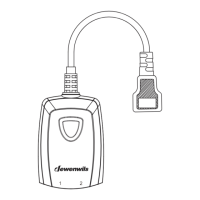
The Jewenwils Outdoor Remote Control Outlet system allows users to remotely control electrical devices plugged into the receiver outlets. The system consists of a remote transmitter and one or more receiver outlets. It is designed for outdoor use, providing convenience for controlling lights or other appliances from a distance. The transmitter and receiver are pre-programmed for immediate use, but the configuration can be customized to meet specific needs.

Important Technical Specifications

  • Input voltage: 125VAC 60Hz
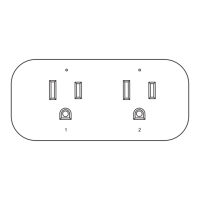
  • Maximum current: 15A resistive (Note: When jack 1 and jack 2 are used at the same time, the sum of the current of the two loads should not exceed 15A)
  • Maximum current (Tungsten lamp): 8A
  • Transmission frequency: 433.92MHz
  • Remote control battery: 3V CR2032
  • Operating range: The receiver must be located within 100 feet of the remote transmitter. Actual functional range may be affected by factors such as weather, radio frequency interference, low remote battery, and obstructions.
  • Water immersion: To prevent water immersion, the outlet must be mounted in a vertical position with the outlets facing downward and at least 2ft above the ground level.
  • FCC Compliance: This device complies with Part 15 of the FCC rules, ensuring that it does not cause harmful interference and accepts any interference received.

Usage Features

  1. Easy Setup: The system comes pre-programmed, allowing for immediate use.
  2. Remote Control: Users can control connected devices by pressing the ON/OFF buttons on the remote transmitter.
  3. Manual Control: Devices can also be activated by pressing the programming button on the receiver itself.
  4. Indicator Lights: The receiver has an indicator light that turns on when the unit is activated. During programming, blue and red indicator lights flash to guide the user through the process.
  5. Programmable Outlets: The system supports programming individual receivers (numbered 1 and 2) to specific buttons on the remote transmitter.
    • Programming Receiver 1: Plug the receiver into an outlet, press the program button for about 3 seconds until the blue indicator light flashes slowly. Release the button, then press ON (1) on the transmitter, and after 1 second, press OFF (1). The blue light will stop flashing and stay on, confirming successful programming.
    • Programming Receiver 2: Press the program button for about 6 seconds until the red indicator light flashes slowly (the indicator changes from blue to red). Release the button, then press ON (2) on the transmitter, and after 1 second, press OFF (2). The red light will stop flashing and stay on, confirming successful programming.
  6. Cancelling Programming: To cancel all programming for a receiver, plug it into an outlet, press the program button for about 9 seconds until the purple indicator light turns on and starts to flash (the color changes from blue-red-purple). Release the program button; the indicator light will turn off, and all programming will be cancelled.
  7. Interference Prevention: Remote control outlets adopt variable learning codes technology to prevent interference. If remote control outlets happen to be in the same channels with other RF remote devices, re-program it, and the interference will be eliminated.

Maintenance Features

  1. Battery Replacement: If the receivers work abnormally or the indicator on the remote control becomes dim, the battery may need replacement.
    • Open the battery compartment and remove the old battery.
    • Install a new CR2032 battery, ensuring correct polarity (+ / -).
    • Close the battery compartment.
  2. Safety Precautions:
    • To reduce the risk of fire, electric shock, or personal injury, strictly follow the instructions.
    • Do not immerse the device in water.
    • Do not connect any devices that may exceed the maximum ratings of this remote outlet.
    • Do not disassemble or repair the product; only authorized service personnel should perform repairs.
    • Keep children away from the device and packaging materials to prevent suffocation and choking.
    • Dispose of used batteries safely and environmentally.
  3. One Year Limited Warranty: The product is supported by a professional R&D team and QC team, providing a one-year warranty for materials and workmanship from the purchase date. The warranty does not cover damage caused by personal misuse or improper installation. Customers are advised to attach their Order ID and Name for customer service.

Dewenwils HORS11F Specifications

General IconGeneral
BrandDewenwils
ModelHORS11F
CategoryRemote Control
LanguageEnglish