DSM2500C IP to Analog Modulator User Manual
11
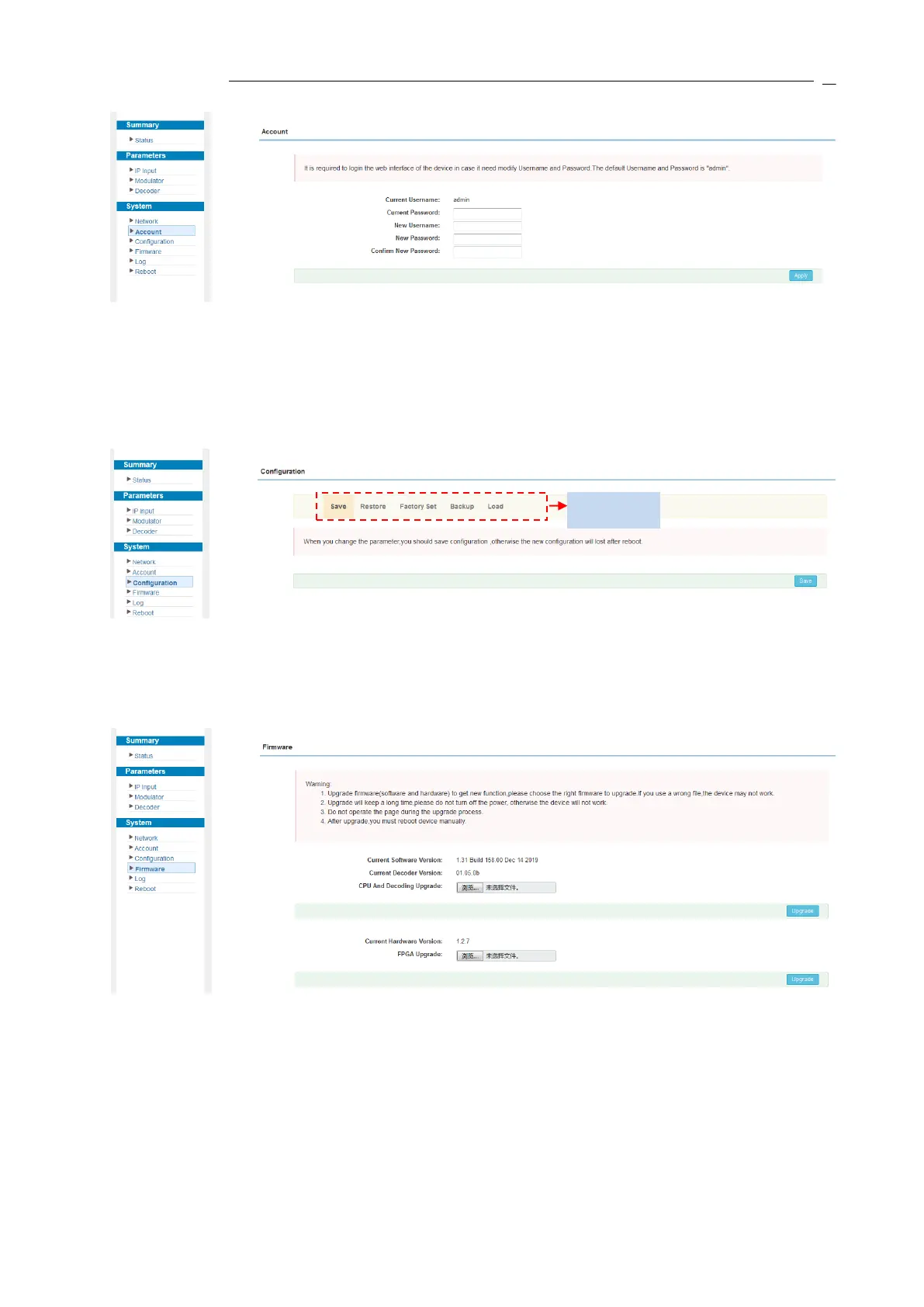
Figure-7
System → Configuration:
Click “Configuration”, it displays the screen as Figure-8 where to set your configurations for
the device.
Figure-8
System → Firmware:
Click “Firmware”, it displays the screen as Figure-9 where to update firmware for the device.
Figure-9
System → Log:
Click “Log”, it displays the screen as Figure-10 where to check the “Log”.


 To Next Page