13
5.2 USB Upgrade
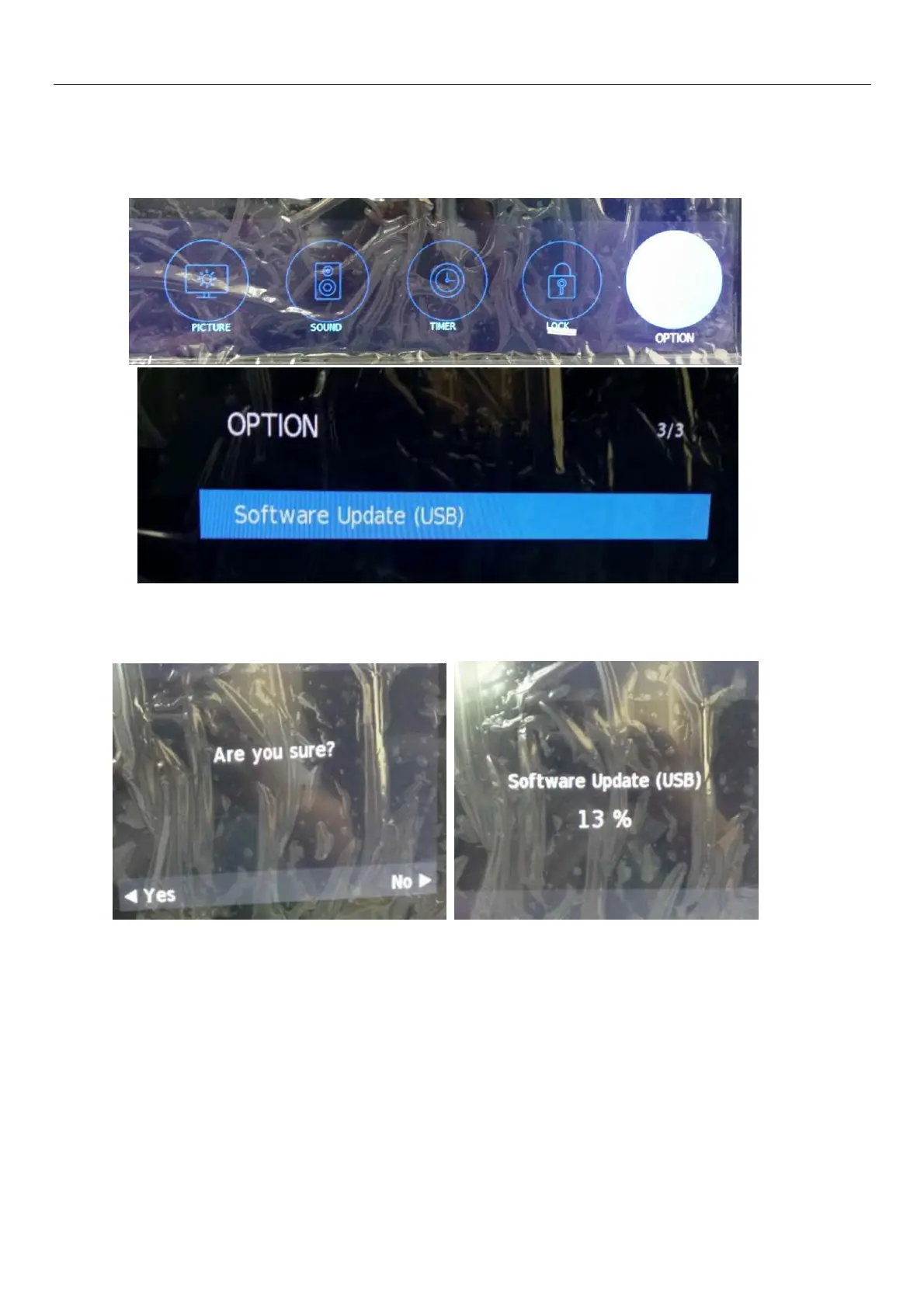
(1)Power on TV set ,Copy the bin file upgrading to usb key root folder and then put USB key to main board USB terminal.
(2)Press remote control key”MENU”,then choose option find software upgrade (USB),then press “ENTER”.
(3)Press remote control “ENTER”,it will ask you “are you sure?”choose yes and System auto loads the upgrade bin and
start upgrading,processing bar will be shown .During the upgrading the OSD will show like bellow;When upgrade is finish
the TV will auto power on.


 To Next Page