18
Quick Setup Guide
Quick Setup
Guide
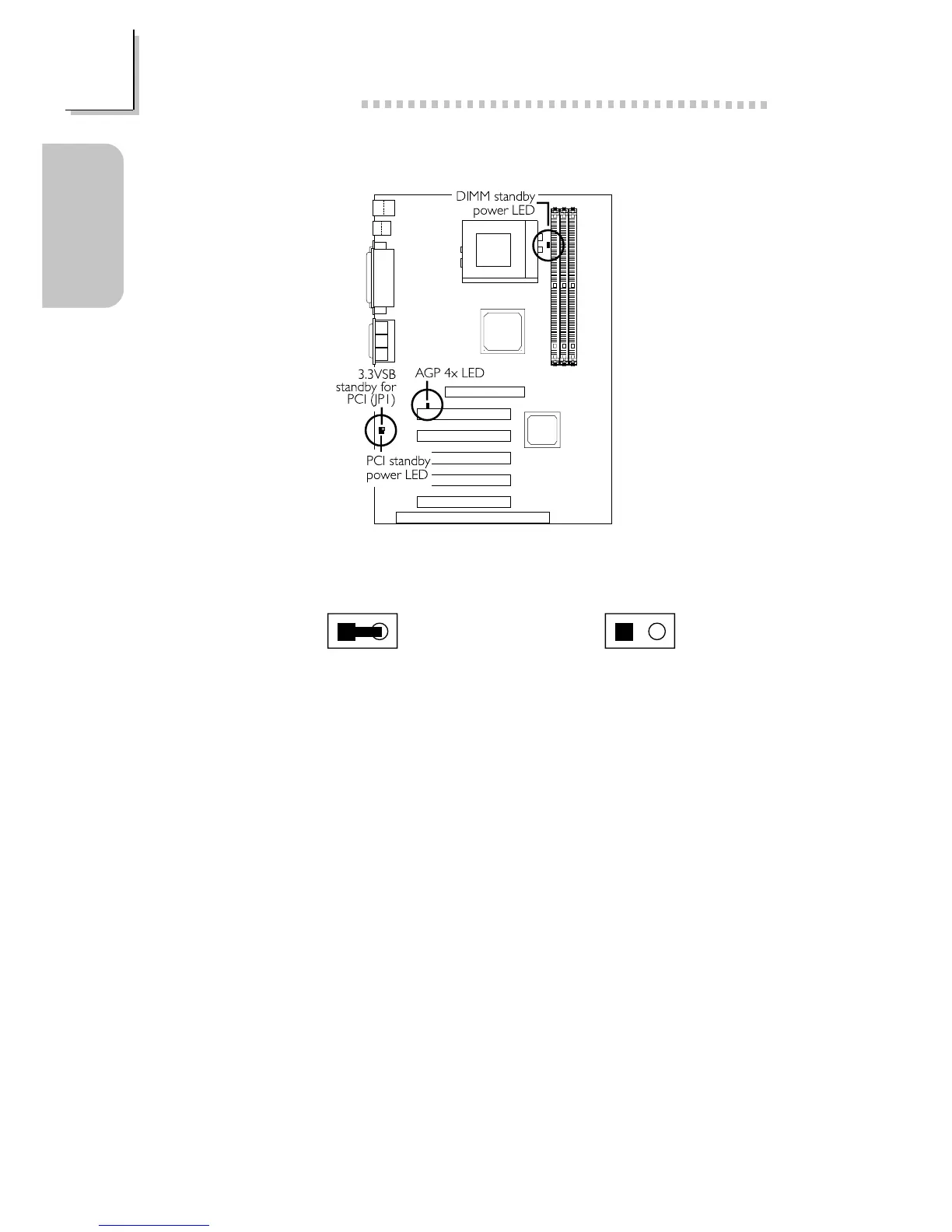
1.3.14 AGP 4x LED / DIMM/PCI Standby Power LED
The AGP 4x LED will light only when the AGP slot is installed with a 4x
add-in card.
The DIMM Standby Power LED will turn red when the systems power is
on or when it is in the Suspend state (Power On Suspend or Suspend to
RAM). It will not light when the system is in the Soft-Off state.
The PCI Standby Power LED will turn red when the system is in the
power-on, Soft-Off or Suspend (Power On Suspend or Suspend to RAM)
state.
Lighted LEDs serve as a reminder that you must power-off the system
then turn off the power supplys switch or unplug the power cord prior to
installing any memory modules or add-in cards.
On: Default
3.3VSB Standby Power to PCI slots
(PCI 2.2 spec.)
Off:
Non-PCI 2.2 spec.
12 12
3.3VSB Standby for PCI - Jumper JP1



 To Next Page