www.dfi .com
16
Chapter 2 Hardware Installation
Chapter 2
Graphics Interfaces
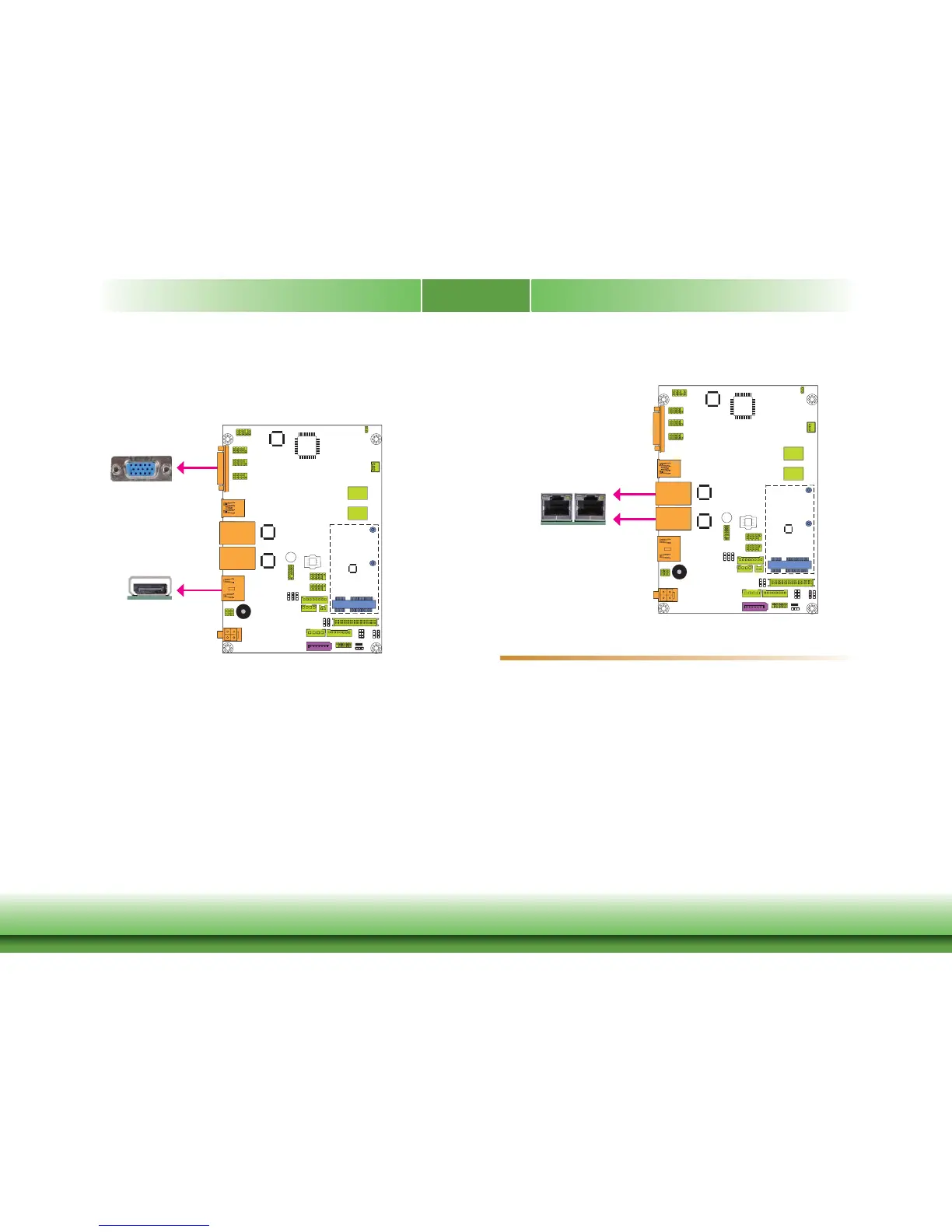
The display ports consist of the following:
• 1 DP port
• 1 VGA port
VGA Port
The VGA port is used for connecting a VGA monitor. Connect the monitor’s 15-pin D-shell cable
connector to the VGA port. After you plug the monitor’s cable connector into the VGA port,
gently tighten the cable screws to hold the connector in place.
DP Port
The DisplayPort is a digital display interface used to connect a display device such as a com-
puter monitor. It is used to transmit audio and video simultaneously. The interface, which is
developed by VESA, delivers higher performance features than any other digital interface.
Driver Installation
Install the graphics driver. Refer to chapter 4 for more information.
RJ45 LAN Ports
Features
• 2 Intel
®
I210 PCI Express Gigabit Ethernet controllers
The LAN ports allow the system board to connect to a local area network by means of a net-
work hub.
BIOS Setting
Configure the onboard LAN in the Chipset menu (“PCH-IO Configuration” submenu) of the
BIOS. Refer to chapter 3 for more information.
Driver Installation
Install the LAN drivers. Refer to chapter 4 for more information.
LAN 2
LAN 1
VGA
DP
LAN 1LAN 2



 To Next Page