
 Need help?
Do you have a question about the DFI LanParty DK P35 series and is the answer not in the manual?
Listing of registered trademarks for operating systems and hardware components.
Procedures for safe handling of the system and electrical shock prevention.
Preparation steps and required basic system components for system board installation.
Detailed technical specifications of the system board's processor, memory, and connectivity.
Highlights of key technologies and capabilities like DDR2, ALC885 Audio, S/PDIF, and IDE.
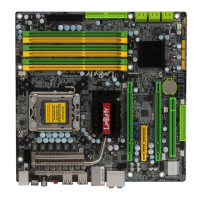
Visual identification of key components and connectors on the system board.
Instructions for installing DDR2 memory modules and understanding memory channels.
Detailed guide for installing the CPU into the LGA 775 socket.
Procedure for mounting the CPU fan and heat sink assembly for effective cooling.
Explanation of jumper configurations for system settings, including CMOS clearing.
Configuration options for PS/2 keyboard/mouse wake-up functionality.
Configuration options for USB keyboard/mouse wake-up functionality.
Settings to configure the CPU's Front Side Bus (FSB) speed for performance.
Description of external connectors like PS/2, USB, LAN, and audio ports.
Details on PS/2 keyboard/mouse connectivity and S/PDIF digital audio interfaces.
Information on connecting USB devices and network cables to the system board.
Explanation of onboard audio connectors for sound input and output.
Guide for connecting SATA storage devices to the system board.
Steps to set up RAID arrays for enhanced storage performance and fault tolerance.
Instructions for connecting legacy floppy drives and IDE hard drives.
Details on connecting IrDA devices and traditional serial communication ports.
Guide for connecting CPU and system fans for thermal management.
Overview of the on-board power and reset switches for system control.
Guidelines for connecting ATX power supply connectors for system power.
Procedures for safely powering down and restarting the computer.
Identification and function of front panel headers and diagnostic LEDs.
Information on installing expansion cards into PCI Express slots.
Introduction to the BIOS interface and navigation for setup options.
Configuration of date, time, IDE devices, and basic system hardware.
Options for boot priority, security settings, and system performance tuning.
Settings for chipset functions, memory mapping, and PCI Express compliance.
Configuration of onboard devices like SATA, LAN, and audio controllers.
Settings for legacy I/O devices such as floppy and serial ports.
Options for configuring system power saving modes and wake-up features.
Advanced BIOS settings for CPU features, DRAM timing, voltage, and clock control.
Functionality for saving, loading, and managing multiple BIOS configuration profiles.
Restoring system settings to optimized default values for stability.
Setting a password to protect system and BIOS setup access.
Option to save BIOS configuration changes and exit the setup utility.
Utility for configuring and managing RAID arrays on Serial ATA drives.
Step-by-step instructions for updating the system's BIOS firmware.
Overview of software drivers and utilities provided on the CD for system enhancement.
Installation guide for Intel chipset drivers to ensure proper system functionality.
Instructions for installing graphics drivers for ATI Radeon or nVidia GeForce cards.
Installation guide for Realtek audio drivers for high-definition sound.
Installation steps for Marvell LAN drivers for 32-bit operating systems.
Explanation of different RAID configurations: RAID 0, 1, 0+1, and 5.
Required settings and steps to enable and configure RAID functionality.
Steps to configure Serial ATA settings within the Award BIOS.
Instructions for configuring RAID arrays using the RAID BIOS utility.
Procedure for installing RAID drivers during OS installation using the F6 method.
Installation guide for the Intel Matrix Storage Manager within Windows.
List and explanation of common BIOS error messages like CMOS failure or disk errors.
General steps to identify and resolve common system problems.
Troubleshooting steps for issues where the display screen remains dark.
Troubleshooting steps for when the computer does not turn on or respond.
Steps to resolve issues with the computer's inability to access or read floppy drives.
Troubleshooting common hard disk failures and long formatting periods.
Steps to resolve general system board malfunctions and BIOS setting issues.
 General
| Brand | DFI |
|---|---|
| Model | LanParty DK P35 series |
| Category | Motherboard |
| Language | English |










 To Next Page
