EN
12
Music Playback
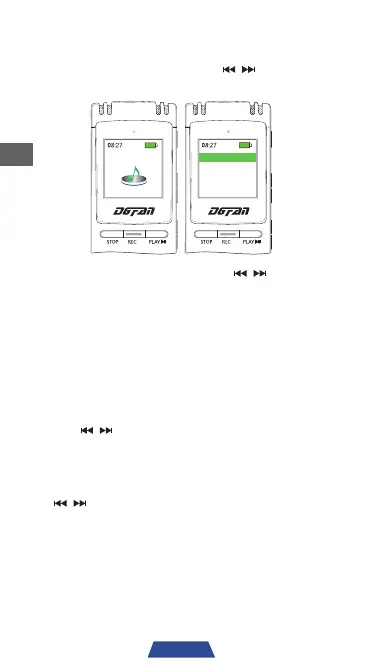
1. Turn on the device and use ' ' to select
"Music". Press 'PLAY' to enter song file list.
Music
Total: 2tracks
Artists
All songs
2. To select a specific song, use ' ' to select
the song file, and press 'PLAY' to play the
selected song.
3. Press 'PLAY' at any time during playback to
pause the music. Press it again to resume.
4. Press 'M' to return to the previous menu.
5. Press 'STOP' at any time to stop the audio
playback.
6. Use '
' to navigate to the next or previous
song during playback.
7. To adjust the playback volume, press 'VOL' to
enter the volume adjustment interface. Use
'
' to adjust the volume to the desired
level.
Add / Delete Music Files
1. If you want to add or delete the song file,
please connect the recorder to a computer
via the included micro USB cable, and then
you can add or delete the song file on
computer.


 To Next Page