EN
9
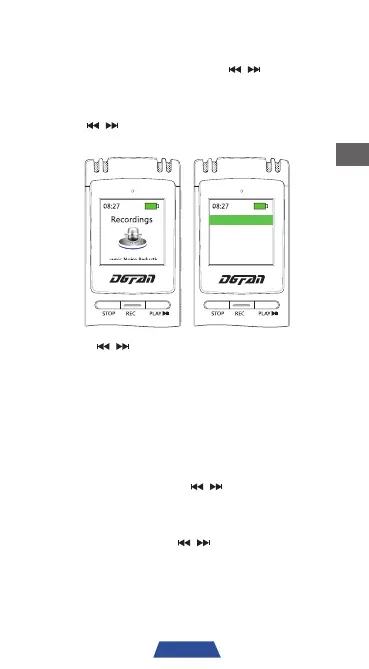
Recording File Playback
1. Turn on the device and use ' ' to select
"Recordings". Then, press 'PLAY' to confirm
selection.
2. Use '
' to select "Recording library" and
press 'PLAY' to confirm selection.
Dynamic Noise Reduction
Recordings
Record Setting
Recording library
3. Press ' ' to select the recording file you
wish to play, then press 'PLAY' to confirm file
selection.
4. Press 'PLAY' to pause at any time.
5. Press 'M' to return to the previous menu.
6. Press 'STOP' to stop the music playback at
any time.
7. During playback, use '
' to navigate to
the previous or next recording file.
8. Press 'VOL' to enter the volume adjustment
interface; then use '
' to adjust the
volume to the desired setting.



 To Next Page