7
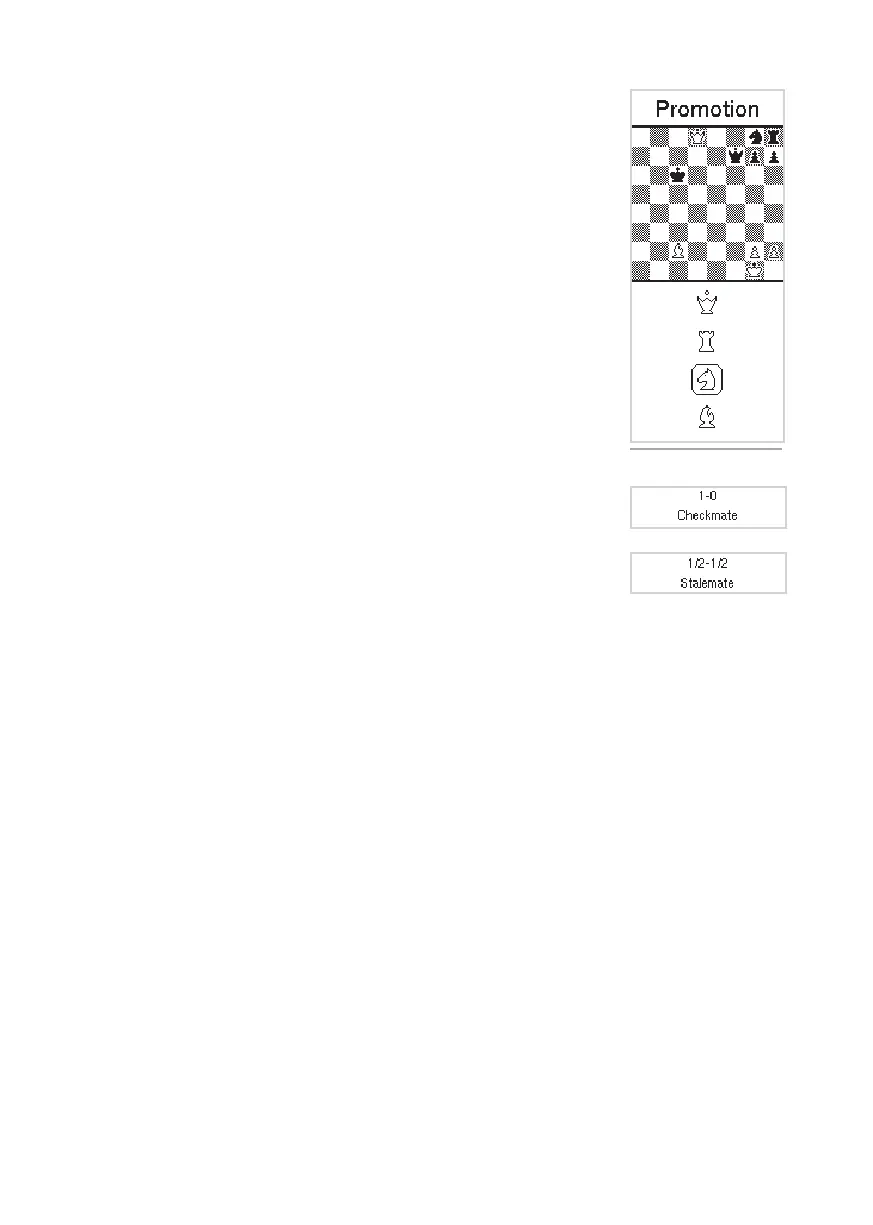
Pawn promotion
When a pawn reaches the other side of the board it is promoted to another
piece. The display shows the dierent pieces you can select. If you do not
select a piece, Centaur will assume you want the pawn to turn into a Queen. In
that case you can simply play Centaur’s next move and continue the game. To
promote to a dierent piece, select the piece by pressing the “Up” and “Down”
buttons and conrming your choice by pressing the “Ok/Menu” button. The
selection screen will disappear and you can continue the game.
To end the game
You have won the game if you have checkmated Centaur or you lost the game
when Centaur has checkmated you. Other reasons for ending a game are a
draw, a stalemate or insucient material to checkmate. The result of the game
is shown in the display.
• Checkmate
A checkmate is displayed with a 1-0 (white won) or 0-1 (black won) and
“Checkmate” appears on the display.
• Stalemate
The game is drawn when the player to move has no legal move and his
King is not in check. The game is said to end in “Stalemate” . The result of the
game is a draw and “Stalemate” appears in the display.
• Draw
In a draw, the game ends in a tie. The display will show the “½ - ½” notation
with the word “Remis”.
Figure 7. Pawn promotion.
Start a new game
If you want to start a new game, simply place all pieces in the starting position. As soon as Centaur
detects that the pieces are in the starting position it automatically starts a new game. You will hear a
beep (if the sound is turned on) to indicate a new game can be started.
Beware! Game information for the previous game is deleted as soon as you nish setting up the starting
position for a new game; your previous game can no longer be viewed.
Adjourning and restarting a game
You can interrupt a game and continue it at a later time. During play simply turn o Centaur by pressing
the “On/O” button for 3 seconds. If you wish you can remove the pieces from the board. When
restarting Centaur, the adjourned game position is shown on the display. If you had removed the pieces,
replace them as indicated on the display and you can continue the game.
Beware! Do not put the pieces in the starting position. If you do this your current game will be removed
from the board memory.


 To Next Page