Need help?
Do you have a question about the DGT CUBE and is the answer not in the manual?
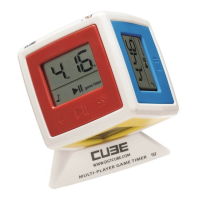
The DGT Cube is a timer for games with up to 6 players, offering time limits per game or per turn.
Visit www.dgtcube.com for game tips and discussions on using the Cube.
Counts down time per player for the entire game.
Counts down time per player for each individual turn.
Counts down time per turn, saving unused time for the next turn.
Counts up time per player, activated by setting game timer to 0h 00m.
Counts the number of turns or points per player, activated by setting move timer to 0m 00s.
Turn on the Cube, select sides, adjust settings, and press to begin gameplay.
Rotate the Cube to pass play to the next player, stopping current timing.
Stop time by placing on base or pressing; pause by pressing two sides simultaneously.
Press and hold the upward side for 3 seconds to turn off the Cube and end the game.
Adjust game options, set time for all sides, and configure sound preferences.
Set unique time limits for each side independently through the menu.
Adjust screen contrast by using buttons on the yellow side.
Replace batteries when the battery indicator appears, noting proper orientation.
Provides a 24-month warranty for manufacturing defects; excludes display fracture.
Handle the Cube with care to prevent impact damage to glass displays.
Details battery type, service life, accuracy, maximum values, and cleaning instructions.
Meets EU directives for EMC, environmental materials (RoHS), and toy safety.

 To Next Page
 General